


JockHA
RTW Race Team
-
Joined
-
Last visited
-
The Discord channel invitation link has expired. Please post a new link. Regards Jock Longtime member of AVSIM RTWR team, but have not been active for quite some years. Edit: I found the correct link in Google Doc document.
-
Team flight participation dropped. Duenna not running.
-
Participating in team flight in FS Default Mooney Bravo.
-
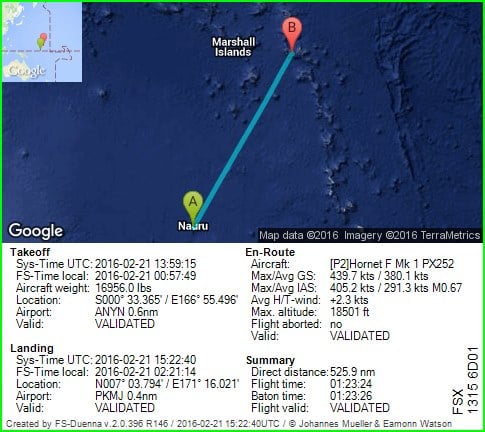
Wingman safe down at PKMJ http://fs-duenna.com/flights/ShowFlight.php?flight=NmwNXEwN7gu89YxVlHPOQZE2LM FlightLog_16-22-40.TXT
-
Flying Wingman from ANYN to PKMJ in RR-SOH DH Hornet F mk.1.
-
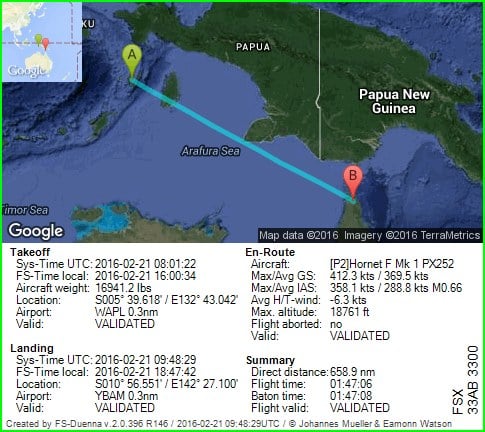
Baton is free at YBAM http://fs-duenna.com/flights/ShowFlight.php?flight=fc1RilKcQ3FiwI1OznSBhRvdA FlightLog_10-48-29.TXT
-
I have the baton from WAPL to YBAM in RR-SOH DH Hornet F mk.1.
-
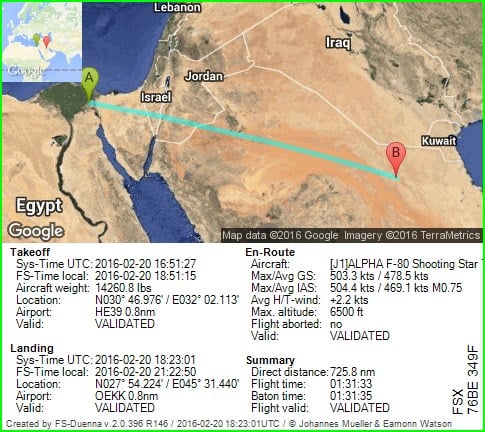
Baton is free at OEKK http://fs-duenna.com/flights/ShowFlight.php?flight=rhv8Th3tuMcgSmnrva7h2NkLn2g FlightLog_19-23-01.TXT
-
I have the baton from HE39 to OEKK in AlphaSim F-80 Shooting star
-
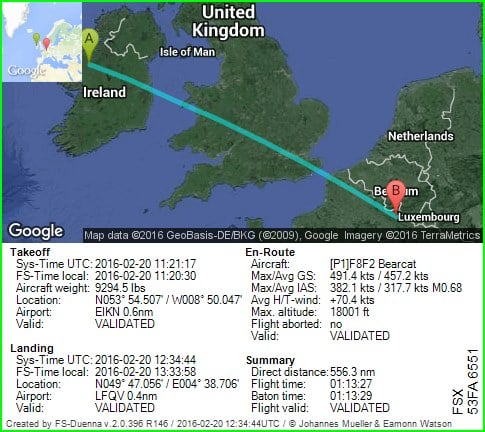
Baton is free at LFQV http://fs-duenna.com/flights/ShowFlight.php?flight=fn94dKpIWf8X0V90YLgb3wXM0 FlightLog_13-34-44.TXT
-
I have the baton from EIKN to LFQV in ABC-SOH-SHUPE Grumman F8F Bearcat LR
-
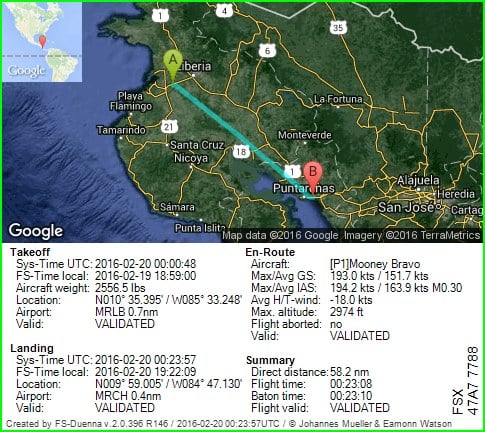
Baton is free at MRCH http://fs-duenna.com/flights/ShowFlight.php?flight=luWbOwRAzoY3HG0ONdT44cYpxPA FlightLog_01-23-57.TXT
-
Off we go! I have the baton from MRLB to MRCH in FSX Default Mooney Bravo - Beginners Luck
-
FSX: Default weather.
-
Wingman safe down at ENBO.

