


Clement75
Members
-
Joined
-
Last visited
Everything posted by Clement75
-
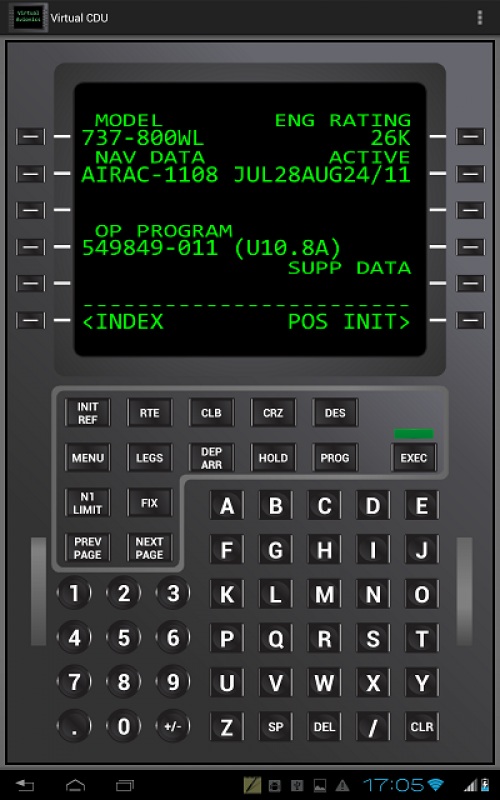
Hi, I'm flying with the 737 ngx which is a great airplane. I'm using a nice 7" touchscreen monitor as an CDU which works perfectly, the only thing is that this screen has unfortunately low brightness, and the way the pmdg cdu is very dark so I don't see much on my touchscreen. I use a second network PC so first I've been looking for a external fmc that works with pmdg, from what I understood it doesn't exist, am I wrong ? No I'm looking for a way to change the look of the cdu, I want it to look like the virtual cdu app for iphone for example. Very formal and bright. Is there a way to do this ? Thanks
-
Hi, I'm flying with the 737 ngx which is a great airplane. I'm using a nice 7" touchscreen monitor as an CDU which works perfectly, the only thing is that this screen has unfortunately low brightness, and the way the pmdg cdu is very dark so I don't see much on my touchscreen. I use a second network PC so first I've been looking for a external fmc that works with pmdg, from what I understood it doesn't exist, am I wrong ? No I'm looking for a way to change the look of the cdu, I want it to look like the virtual cdu app for iphone for example. Very formal and bright. Is there a way to do this ? Thanks
