Skip to content
View in the app

A better way to browse. Learn more.

The AVSIM Community

A full-screen app on your home screen with push notifications, badges and more.

To install this app on iOS and iPadOS
  1. Tap the Share icon in Safari
  2. Scroll the menu and tap Add to Home Screen.
  3. Tap Add in the top-right corner.
To install this app on Android
  1. Tap the 3-dot menu (⋮) in the top-right corner of the browser.
  2. Tap Add to Home screen or Install app.
  3. Confirm by tapping Install.

aca763er

Members
  • Joined

  • Last visited

  1. aca763er replied to aca763er's topic in PMDG 777
    That got it working well for me, can't believe I didn't think to try that. Thanks! aca763er
  2. aca763er replied to aca763er's topic in PMDG 777
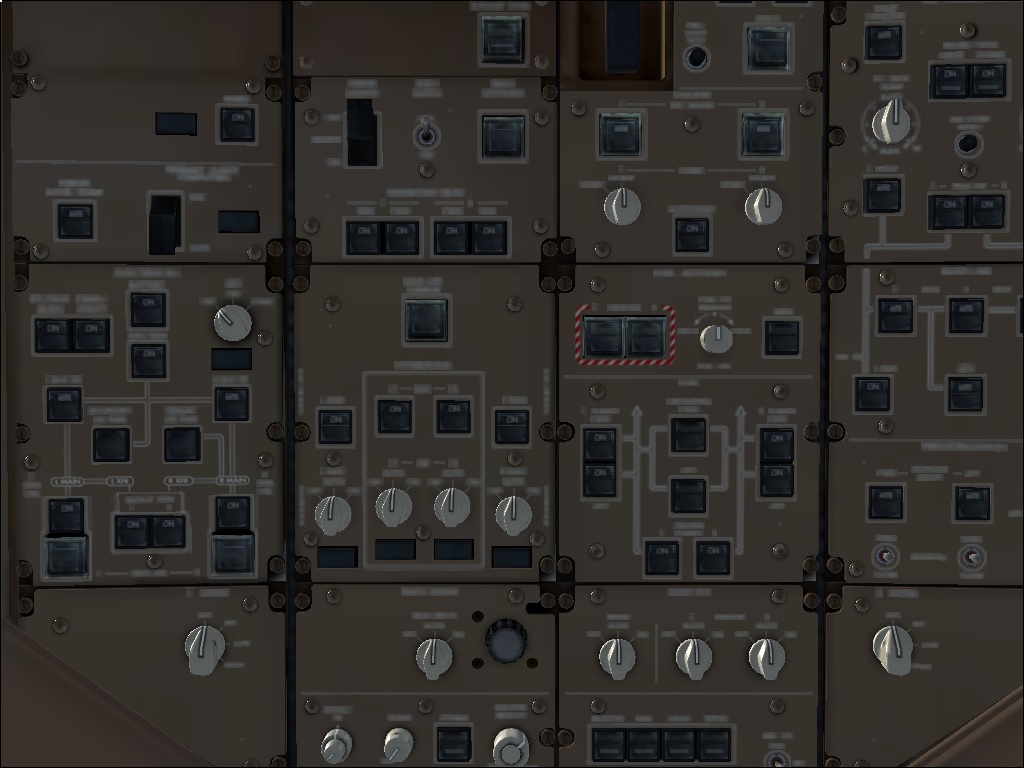
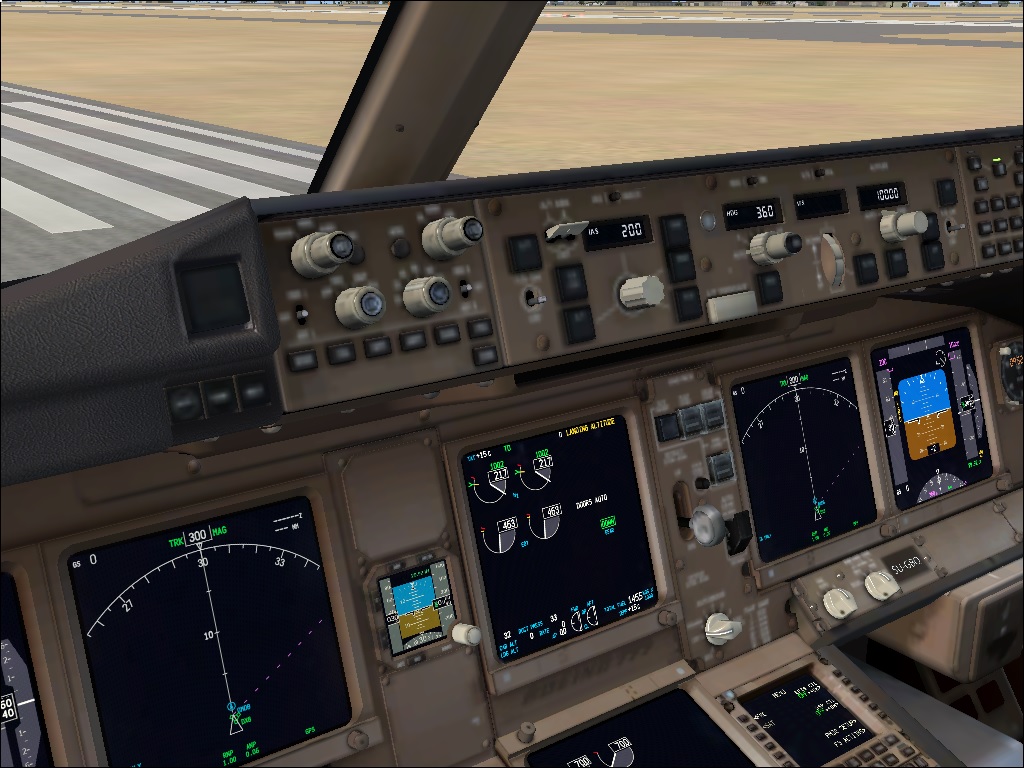
    Going into this I knew that there'd be problems associated with W8 but I figured I'd give it a try anyway, otherwise I'll just revert back to W7. To give you guys a little bit more information, I've taken a couple screenshots. Thanks again!
  3. aca763er posted a topic in PMDG 777
    Hi Everyone, So I finally bought the PMDG 777 but I'm having a few problems. Every time I load the aircraft, I get a warning telling me that the product was unable to create its work files and to make sure that I'm running FSX as administrator (which I am). Also, when I load the aircraft, I get horrible VC views. In fact, the only clear displays are the PFD, ND, and FMS. I'm not sure if this is because I'm using Windows 8 or if there's another reason for it. Any help would be greatly appreciated!
Account

Navigation

Search

Search

Configure browser push notifications

Chrome (Android)
  1. Tap the lock icon next to the address bar.
  2. Tap Permissions → Notifications.
  3. Adjust your preference.
Chrome (Desktop)
  1. Click the padlock icon in the address bar.
  2. Select Site settings.
  3. Find Notifications and adjust your preference.