kylezangel
Members
-
Joined
-
Last visited
-
Well Javier's carriers are amazing! Now to just get some jets. I have one problem with the carriers though: when underway they seem to flicker as they move, is this normal?
-
Wow there's some amazing stuff out there! And coming from FS9 I thought Acceleration's F-18 was detailed lol. I'll definitely be checking out everything you guys suggested. One last question: carrier ops. Are any of the Flight Deck add-ons any good, or is Javier's stuff better? And carrier-capable planes. Cheers Kyle Z
-
I'm not sure if it is, might be. I'm pretty new to the payware game, so I'm not sure what is good and what to steer clear of. But I think before getting aircraft I should get a landclass for SA. Any suggestions for fighters/landclass?
-
Hi there everyone I've been looking around for a SAAB Gripen for FSX and I've managed to find one from Alphasim and another from FlyFreeStd. From what I can tell, FlyFree's VC looks better than Alphasims. This is one of the most important aspects of an aircraft for me. Can anyone give their opinions on which is better? Here is a link for reference simMarket: FLYFREESTD - SAAB JAS 39 GRIPEN FSX Cheers Kyle Z
-
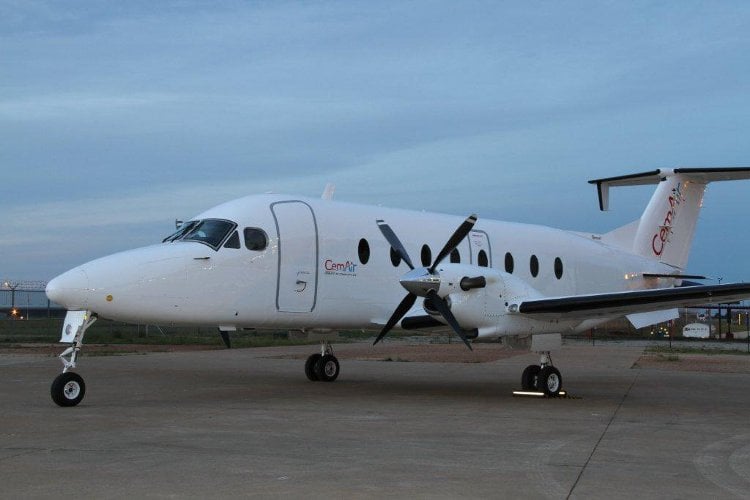
Hello everyone I was hoping someone could help me out. After downloading the amazing PMDG beech 1900D I was hoping to find a livery of a local airline, but to my disappointment there were none. I therefore ask, please could someone make a Cemair livery for this plane? Its very simple, and I would do it myself, but I have no experience at all in this field. Any help would be appreciated. Thanks