Skip to content
View in the app

A better way to browse. Learn more.

The AVSIM Community

A full-screen app on your home screen with push notifications, badges and more.

To install this app on iOS and iPadOS
  1. Tap the Share icon in Safari
  2. Scroll the menu and tap Add to Home Screen.
  3. Tap Add in the top-right corner.
To install this app on Android
  1. Tap the 3-dot menu (⋮) in the top-right corner of the browser.
  2. Tap Add to Home screen or Install app.
  3. Confirm by tapping Install.

Pharlophus

Members
  • Joined

  • Last visited

Everything posted by Pharlophus

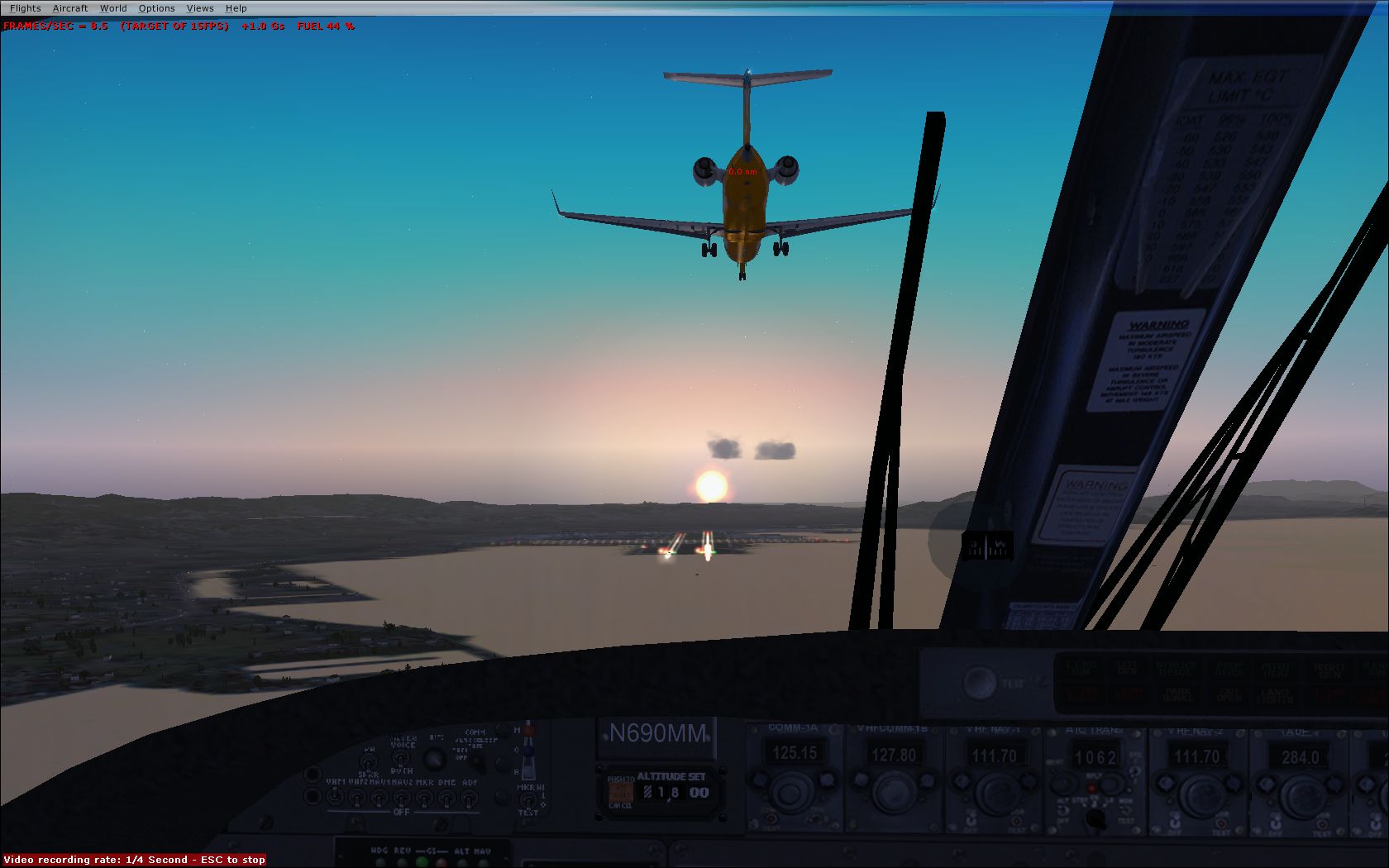
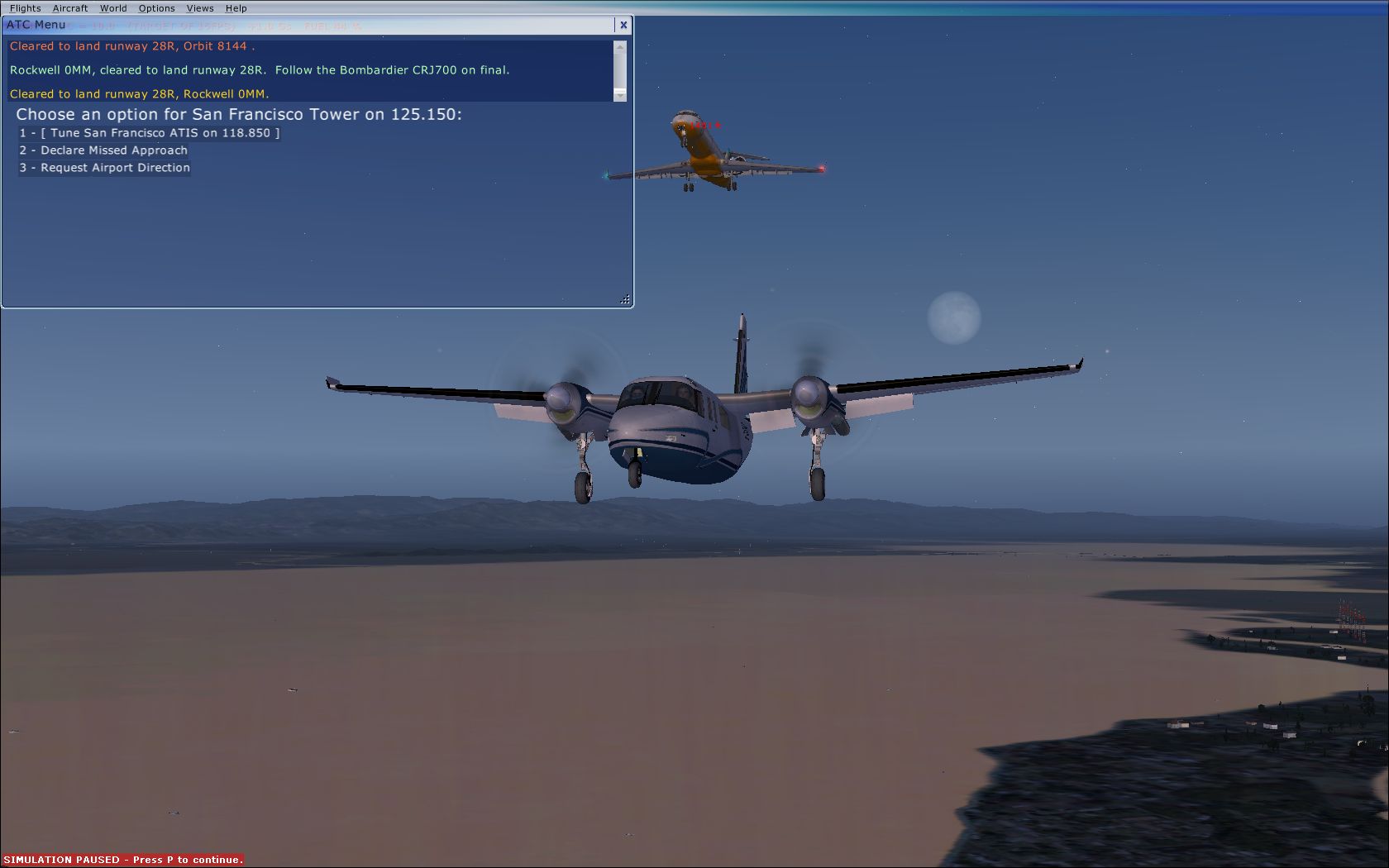
  1. After getting the instruction from ATC on an ILS approach in the shot to "follow" with no one in front of me I pause and went outside for a look. The second shot is something a light twin pilot would never want to see. Can I get a "Go Around"
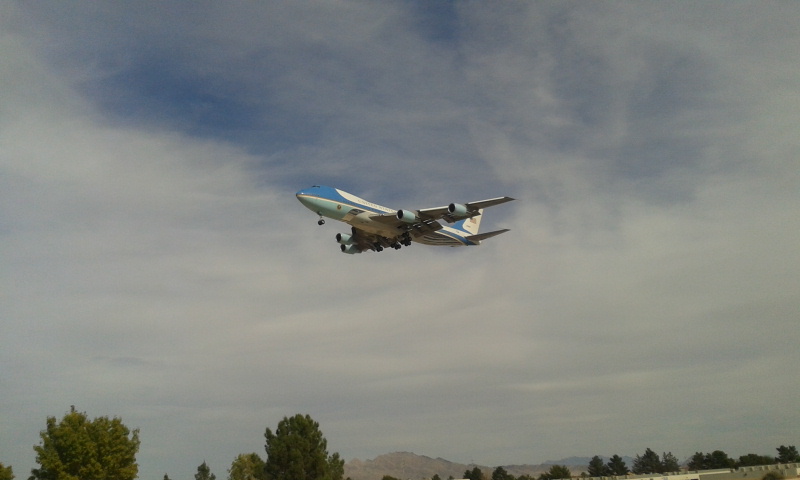
  2. Just a shot outside my office taken with my phone of the boss comming into Vegas
  3. Pharlophus replied to a post in a topic in Real Aviation Photos
    My office is in the warehouses just off the end of runway 25, when heading out for jobs I travel up Sunset Rd. and oftenwondered about what drew folks to park in that small lot with their telephoto lenses. Those are some nice examples of why.

Account

Navigation

Search

Search

Configure browser push notifications

Chrome (Android)
  1. Tap the lock icon next to the address bar.
  2. Tap Permissions → Notifications.
  3. Adjust your preference.
Chrome (Desktop)
  1. Click the padlock icon in the address bar.
  2. Select Site settings.
  3. Find Notifications and adjust your preference.