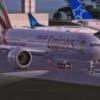
May 10, 201016 yr I am having a problem with gate 1's jetway at the New Chitose (RJCC) airport where I get the error "You must be in an airport parking space to request a fuel truck or jetwa" when I press Ctrl-J (see attached pic). This happens every time, and the same error is encountered when I tried to move the aircraft to gate 2 next to this despite parking the aircraft within the assigned space.Do you know what is the cause of this error or how to resolve it? Harry Sung
May 10, 201016 yr I am having a problem with gate 1's jetway at the New Chitose (RJCC) airport where I get the error "You must be in an airport parking space to request a fuel truck or jetwa" when I press Ctrl-J (see attached pic). This happens every time, and the same error is encountered when I tried to move the aircraft to gate 2 next to this despite parking the aircraft within the assigned space.Do you know what is the cause of this error or how to resolve it?Have you upgraded the AFCAD? There's an upgraded version for FSX in the AVSIM Library. Just search for RJCC. Some of these parking gates are touchy and the aircraft has to be parked exactly for the jetway to become active. You may have to move the aircraft forward or backward just a little until before the jetway becomes active.Best regards,Jim
May 10, 201016 yr Author Yes, I have upgraded to the http://library.avsim.net/zipdiver.php?DLID=142675 AFCAD created by Ray whom I just received a reply email. He is getting the error in both the default and his AFCAD's. Harry Sung


Create an account or sign in to comment