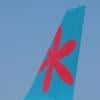
March 4, 201313 yr Would anyone be willing to paint up an XL Airways (eg. G-XLAI) livery for the NGX -800? Its surprising that there hasn been one done yet. There is an XL Germany one, but I would like to see a new UK registered one. It would also be great to see an Excel Airways livery (ie. the light blue engines and tail with "excel" branding. Any takers? Would be very pleased to hear from anyone who might consider this. Many thanks, Rich Rob BatesSimming since the age of 10 with MSFS 5.0 P3D v5.0 | 10700K (@stock) | EVGA GTX1080Ti SC2 | Z490-E ROG STRIX | 32GB 3600MHz | 970 EVO Plus M.2 & EVO 850 SSDs | H115i cooling | NZXT H440 Case | Samsung 32" CJG 1440p Curved Monitor | Virtual-Fly Ruddo & TQ3+ | Thrustmaster FCS Sidestick | Skalarki MCDU Ask me about (my most flown): FSLabs A320-X series | MaddogXIn the hangar: Majestic Q400 Pro | PMDG 747 | A2A C182, Cherokee, Comanche & Spitfire


Create an account or sign in to comment