Skip to content
View in the app

A better way to browse. Learn more.

The AVSIM Community

A full-screen app on your home screen with push notifications, badges and more.

To install this app on iOS and iPadOS
  1. Tap the Share icon in Safari
  2. Scroll the menu and tap Add to Home Screen.
  3. Tap Add in the top-right corner.
To install this app on Android
  1. Tap the 3-dot menu (⋮) in the top-right corner of the browser.
  2. Tap Add to Home screen or Install app.
  3. Confirm by tapping Install.

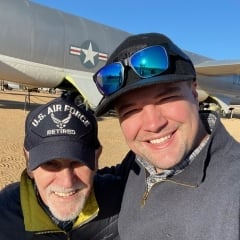
Kansas Aviation Museum - Interactive Cessna Learning Experience

The KAM featured a special exhibit that showcased the relationship between Weather, ATC, and the pilot. Not pictured was an indoor ATC "tower" complete with a weather station and computer terminal to communicate with the pilot.

  • From the album:

    Chase's FanCon Pics

    · 8 images

    Photo Information

    • Taken with Apple iPhone 4S
    • Focal Length 4.3 mm
    • Exposure Time 1/20
    • Aperture f/2.4
    • ISO Speed 160

    Account

    Navigation

    Search

    Search

    Configure browser push notifications

    Chrome (Android)
    1. Tap the lock icon next to the address bar.
    2. Tap Permissions → Notifications.
    3. Adjust your preference.
    Chrome (Desktop)
    1. Click the padlock icon in the address bar.
    2. Select Site settings.
    3. Find Notifications and adjust your preference.