Skip to content
View in the app

A better way to browse. Learn more.

The AVSIM Community

A full-screen app on your home screen with push notifications, badges and more.

To install this app on iOS and iPadOS
  1. Tap the Share icon in Safari
  2. Scroll the menu and tap Add to Home Screen.
  3. Tap Add in the top-right corner.
To install this app on Android
  1. Tap the 3-dot menu (⋮) in the top-right corner of the browser.
  2. Tap Add to Home screen or Install app.
  3. Confirm by tapping Install.

Rndguy35

RTW Race Team
  • Joined

  • Last visited

  1. Wingman down safely at MMTG FlightLog_23-00-31.TXT
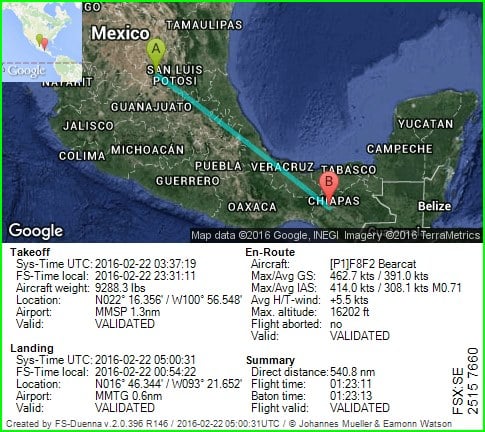
  2. Wingman for Roman MMSP to MMTG in the Bearcat Long Range-Shupe/SOH
  3. Baton is free at MMCN FlightLog_20-11-10.TXT
  4. How you looked to me Nick landing! Nothing like seeing the majestic wings of a 747. Fourth to last leg. Last sunset to be seen on the race. I am taking in the beauty.
  5. I have the baton from KSBA to MMCH in the Avanti II Noriega v2.
  6. At PHHI Team AVSIM, awaiting arrival of the baton, paid tribute to AVSIM founder Tom Allensworth by forming our planes in a "T" on the runway . Tom passed away last year. Tom was an avid supporter of the team and will be sorely missed. In memory of Tom!
  7. Team participant landed safely a PHUP. FlightLog_14-29-06.TXT
  8. Team particpiant from PHNY to PHUP in Navion Rangemaster by Schwertfeger and Leaming.
  9. This team participant overstressed due to turbulence. FlightLog_13-43-09.TXT
  10. GA Team flight participant PHHI to PHNY
  11. Baton handoff to wingman. Overstressed on decent. FlightLog_01-45-05.TXT
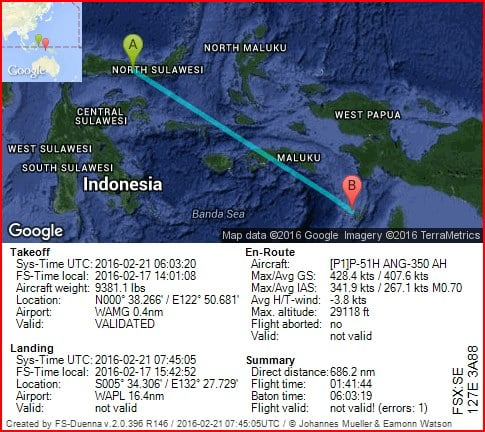
  12. I have the baton from WAMG to WAPL in the Aircraft Factory P51H
  13. Wingman down safe at VTBP. FlightLog_19-51-17.TXT
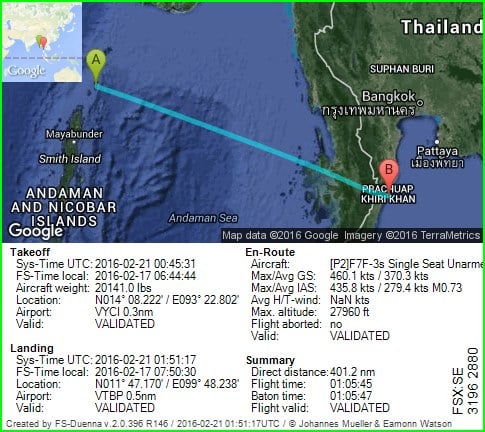
  14. Wingman from VYCI to VTBP in the F7F_Single Shoupe/SOH
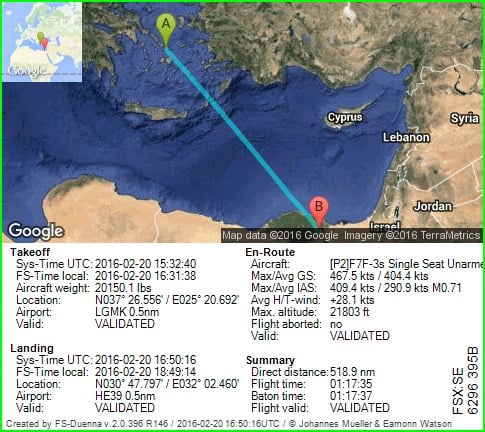
  15. Baton Free at HE39 (Posted baton release also in back-up forum as b/c Avsim was down). FlightLog_10-50-16.TXT
Account

Navigation

Search

Search

Configure browser push notifications

Chrome (Android)
  1. Tap the lock icon next to the address bar.
  2. Tap Permissions → Notifications.
  3. Adjust your preference.
Chrome (Desktop)
  1. Click the padlock icon in the address bar.
  2. Select Site settings.
  3. Find Notifications and adjust your preference.