


skysurfer23
Members
-
Joined
-
Last visited
-
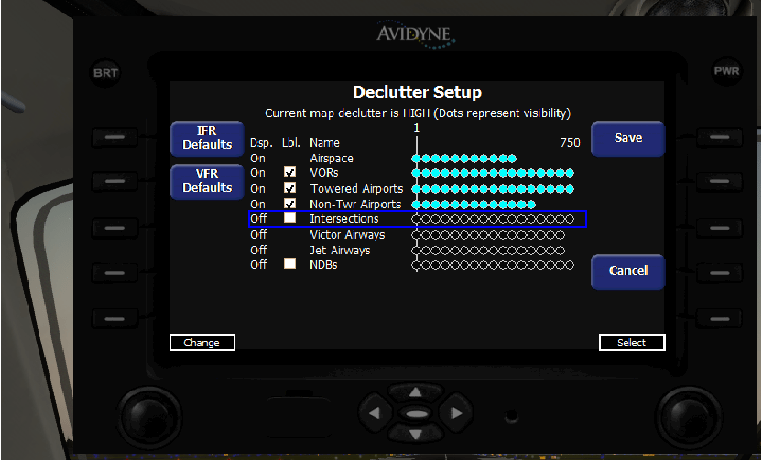
no problem, are the dots on your declutter screen also blue? If they're black then things won't show even if the box is checked and it says on. That's the only other thing i can think of
-
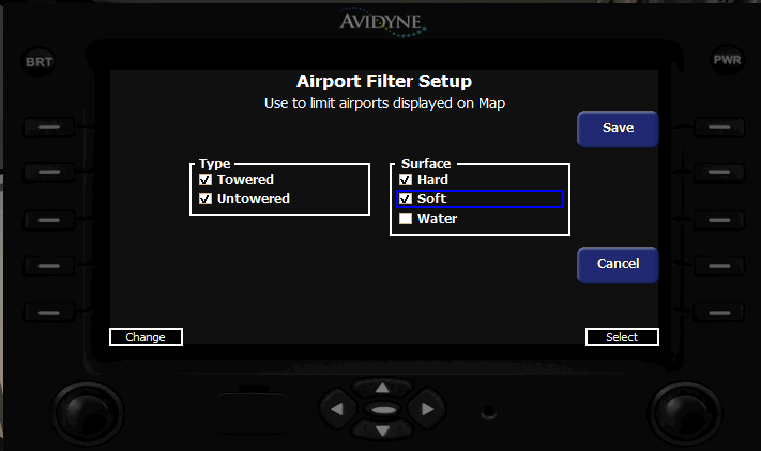
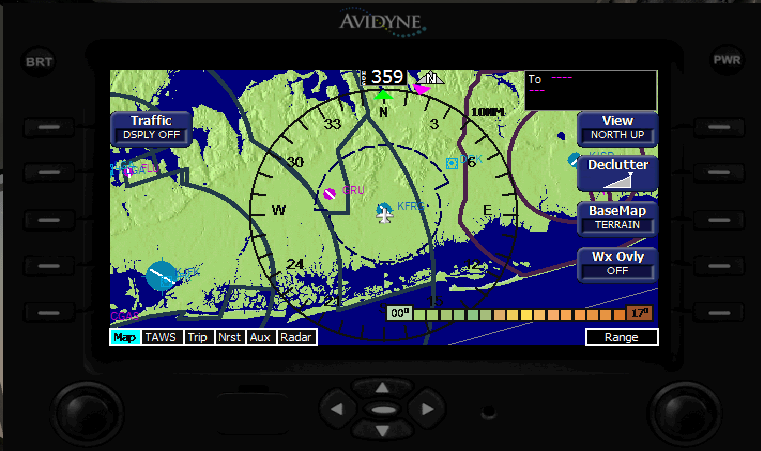
You might also have to go into aux and under airport filter make sure airports are checked, here's screenshots of what the screens should look like.
-
I did figure out how to fix the Avidyne, go into the aux menu and declutter settings and make everything visible, go back to the map and cycle declutter, it seems the default is to have everything off, extend the range and it you'll at least have one functional gps.
-
reply to a support ticket i had opened: Thanks for your valuable feedback. Since the P3D v2.1 release we're having numerous issues reported, there are many aircraft not working, malfunctioning avionics, graphics, etc. we're investigating the cause for all of these. It seems that P3D changed something in the software structure and that is causing problems. Once the origin of the issues is found, service packs for our products will be released. Best Regards Carenado Support.
-
-
Good news is Carenado said they're working on a fix for the problem, bad news is no info on when this will be fixed. from Carenado Support: Since the P3D v2.1 release we're having numerous issues reported, there are many aircraft not working, malfunctioning avionics, graphics, etc. we're investigating the cause for all of these. It seems that P3D changed something in the software structure and that is causing problems. Once the origin of the issues is found, service packs for our products will be released.
-
That's actually not even a line path, its just a random line, i didn't have a flight plan or anything. Do you also have the engine fire warning lights coming on or just the gps problem?
-
Just updated P3D to 2.1 and now the GPS isn't showing any labels no matter what level declutter is set to. I have already tried reinstalling the aircraft and the issue persists. Also the engine fire light is on as soon as the aircraft loads which has never happened before......... this is specific to the 1900d but i've seen the same gps issue in other carenado aircraft that i own. GPS/G1000 on all other aircraft including the default P3D ones are fine. Any ideas on what the problem could be?
