

Niagara Tour

By Gaiiden
· 957 views
Weather was turning crappy at home (Nor’easter that’s here now was on the way back on Monday when this flight took place) but up in Buffalo they were having some nice weather so I hopped into the Bell 206B from last time and took another flight around Niagara and Buffalo but in the daylight this time. No real plan, I just took off and headed for the falls, decided I wanted another pass and then decided to head over to Buffalo, turn around and come back. I knew I wanted to land over at the heli tour pad on the Canadian side, but that was about it.
Here is the route I flew:
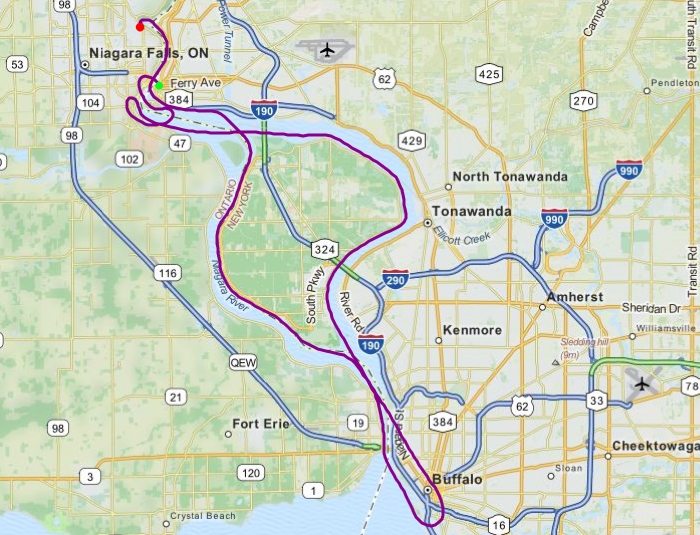
I didn’t fly too high, kept it to around 1,000 feet the whole time – which probably annoyed the crap out of the virtual residents of Buffalo as I exited their city northwards over the urban areas, haha. One of the big challenges to helicopter flying is maintaining your altitude without any form of autopilot. I like the challenge, although sometimes I’m afraid it absorbs too much of my concentration – thankfully I don’t have any virtual traffic to really watch out for. Still, it’s hard – as this altitude chart shows
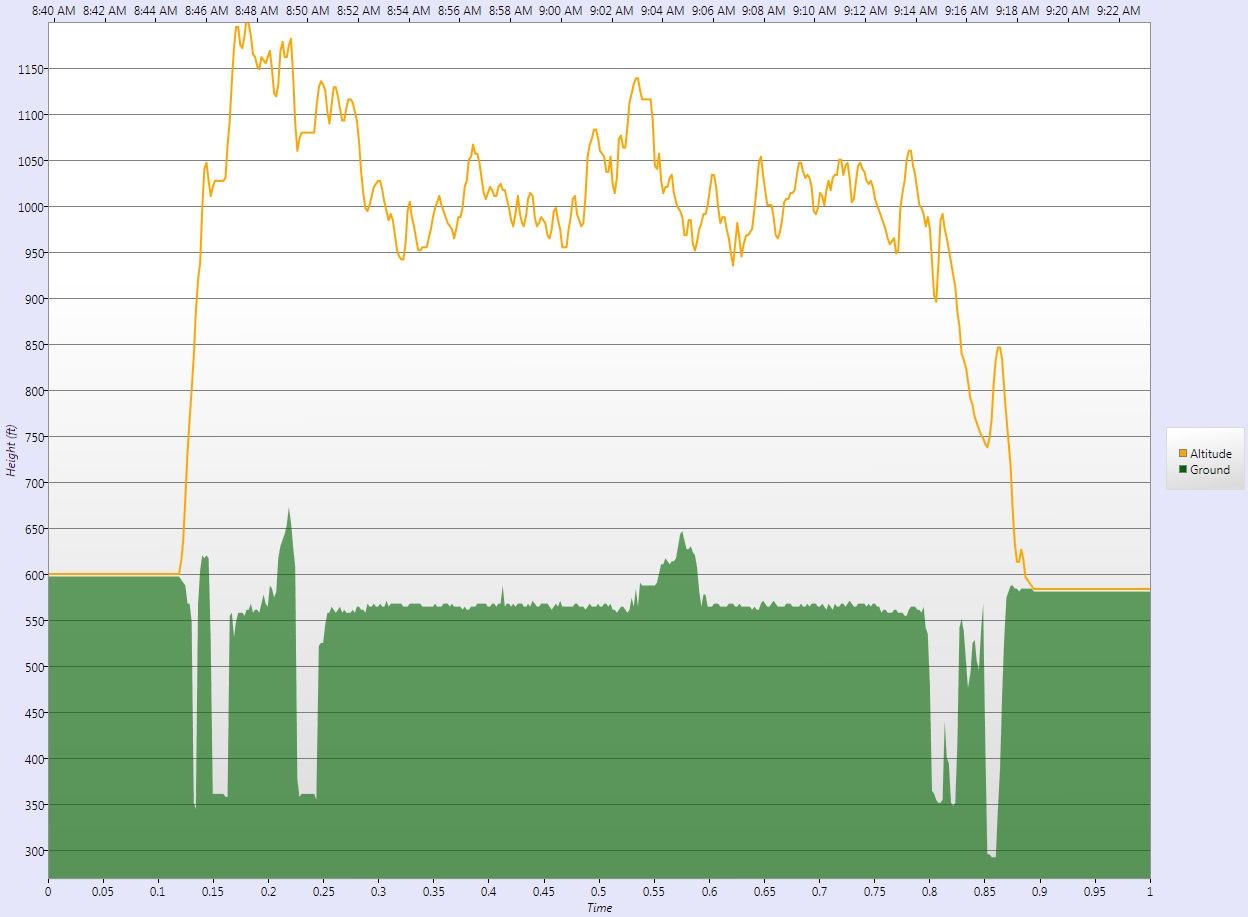
Note that the lines are 50 feet variances, but still that’s a good deal of ups and downs along the way!
I was particularly pleased with my landing this time out. I tuned into the KIAG ATIS to get the wind direction and marked it on my compass using the heading bug. Then I made a nice smooth approach to the pad into the wind and only hovered around for about 30 seconds before setting her down. I think I will make one more flight around the area to get back to the helipad at KBUF.
Recommended Comments