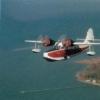
September 24, 200817 yr Hi to all from the sunny UK [ not].Does anyone know where I can get hold of Bill Lyons 'Golden Wings' package ? I downloaded the Grumman Goose plane and adventures pack from the Avsim library and was truly blown away by the quality - check it out if you haven't got it yet !!I've tried all the usual sites to download it, but no joy.Regards to all..Stuart;)
September 24, 200817 yr Hi,A quick web search for: download golden wings gives this site (and many more):http://www.goldenwings.info/Hope this helps,--Tom GibsonCal Classic Propliner Page: http://www.calclassic.comFreeflight Design Shop: http://www.freeflightdesign.comDrop by! ___x_x_(")_x_x___ Tom Gibson CalClassic Propliner Page
September 25, 200817 yr Author Thanks Tom,I had googled Golden Wings but was being blocked by my ISP from downloading the package for some strange reason- all sorted now.Thanks for your reply:) Stuart
September 25, 200817 yr Read through the support threads for Golden Wings, learn how to install it over a second copy of FS 2004. Installation is not very well reversible, and the early 1930's environment is very different from the modern one. I fly in Golden Wings probably 80% of the time, but every so often I want to come forward to the 1940's or 1950's, and want that original scenery to fly in. For example, without runway lighting, night flying is not so easy.


Create an account or sign in to comment