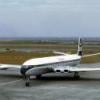
October 12, 201213 yr Hi I don't know if there is any knowledge yet of changes made in P3D but I've run across one conundrum. Hopefully the brains on this board might be able to help! I have successfully transferred many FSX aircraft across to P3D with virtually no hitches whatsoever. However with one of my favourite aircraft - David Maltby's DH Comet - an odd problem. The VC panel is made up of 5 seperate sections in the panel.cfg. All the many dials and switches work as intended except that in just one section [Vcockpit02] (the centre panel) none of the switches are clickable. They are the same gauges as in the 2D panel where they work fine. I realise that this is an FS9 model adjusted for FSX where it works beautifully - but why just the one section unresponsive in P3D? In case anyone has any bright ideas I've attached a copy of the panel.cfg Cheers Chris
October 12, 201213 yr It may be that David scaled the polygon used to display those center gauges. That will work OK in FS9, but not in P3D (and sometimes not in FSX). Tom Gibson CalClassic Propliner Page
October 15, 201213 yr Author Hi Tom, Yes, I think you are right. There is some comment on the official P3D forum about clickspots and, while I don't pretend to understand, the LM guy referred to "invisible cube nodes" as the likely culprit. Whatever they are... Cheers Chris


Create an account or sign in to comment