


hawkeye71
Members
-
Joined
-
Last visited
Everything posted by hawkeye71
-
The first shorter briefing takes place at the 9 minute mark in the preflight countdown. This really isn't a game breaker or anything, it's just got me curious.
-
My apologies. I totally missed that part in the manual, even after looking it over a number of times. I can hear the cabin crew now. I can hear all of the announcements except the safety briefing before takeoff. Is there a certain trigger that has to be met for that to occur?
-
I hope somebody still visits this forum who can answer a question for me. I purchased FS2Crew for the Maddog and have gotten to the point where I'm pretty comfortable with the checklist flow with the FO. The problem is that I never hear any announcements from the cabin crew; the welcome briefing, safety briefing, prepare to land announcement, or after landing announcement. Is there a certain trigger that has to happen in order to hear these announcements? Thanks in advance for any help given.
-
Just want to report back that the VC is now fully usable. Now I know why they call it the Maddog. It can be unpredictable, and if you don't keep a close eye on it it'll reach up and bite you!
-
Yes, the livery has "model=vc" - Does anyone else have functionality in the switches I mentioned above?
-
OK, I finally got the VC to load on startup by installing a repaint. Why that did it I don't know. The trouble is that none of the switches on the top (lights, speed adjust, heading adjust, altitude adjust, etc.) are functional. Are they supposed to be?
-
Thanks everyone for your replies. I was using the Maddog Manager and Setup to start FSX and still the 2D panel comes up when FSX loads. I'll do some more playing around with it and see if I can get it to work. By the way, do I have to have "Reload saved state" checked when FSX is launched?
-
It is the default livery and it does use the VC model: [fltsim.0] title=LSH MD-82 McDonnell Douglas sim=md-82 model=vc panel= sound= texture=MDG kb_checklists=md-82_check kb_reference=md-82_ref atc_id=MADDOG atc_airline=McDonnell Douglas atc_flight_number=255 atc_parking_types=GATE,CARGO,RAMP atc_parking_codes=MDG ui_manufacturer=Leonardo SH ui_type=md-82 ui_variation=LSH MD-82 McDonnell Douglas description=Fly The Maddog edition visual_damage=0 atc_heavy=0
-
No, it's with the default MD80 livery. I haven't added any repaints. I wish I could get this solved, because I don't want to have to use the 2D panel all the time.
-
Hey everyone, I know this is probably a longshot, but I'm having a problem with the VC loading on startup with the Maddog 2010 with SP2 edition. I registered on the Maddog forums three days ago, but still do not have permission to post there. The whole forum seems to be dead anyway. I can get to the VC after starting FSX by pressing F9, but then none of the switches are clickable. I have searched everywhere for a solution but can't find one. I did see on the forums there that there was once a "Quick 'n' Dirty" guide for the Maddog, but the link for it no longer exists. If anyone could give me some assistance on this it would be much appreciated. I realize this is the forum for the FS2 Crew edition of the Maddog, but right now I don't know where else to turn. I've even tried re-downloading the file, uninstalling and reinstalling, running the .exe file as administrator in Windows 7. Just to clarify, I have selected to start FSX with the VC in the Maddog setup utility
-
OK, KBNA was uploaded to the library a few minutes ago. PLEASE take the time to look at the README FIRST document. It contains a lot of important information.
-
Yes, night textures are included. Also, Concourses A and B have the gate numbers on the buildings. I got that off of Bing Maps. Concourse C, for some reason, did not have the gate numbers on the buildings, so I did not include them.
-
Can't get it done until tomorrow. I have to get the zip file together and upload it. And the military aircraft you see will only be visible if you have the SEANG flight plans from Military AI Works installed.
-
OK, I've finally finished KBNA and will be doing a test flight into there tomorrow morning just to make sure all the comm frequencies work correctly. Runway 13/31 has been activated, and AI traffic is using all four runways. There will be an option not to use Runway 13/31 also. Here are a couple of screenshots:
-
Hey everyone, yes, KBNA is still alive. I have had several personal issues arise in the last year, but I plan on getting back to work on KBNA next month. I will be retiring then and should have a lot more free time. The main terminal is all done, and I am now working on the military area. There is much more to be done yet.
-
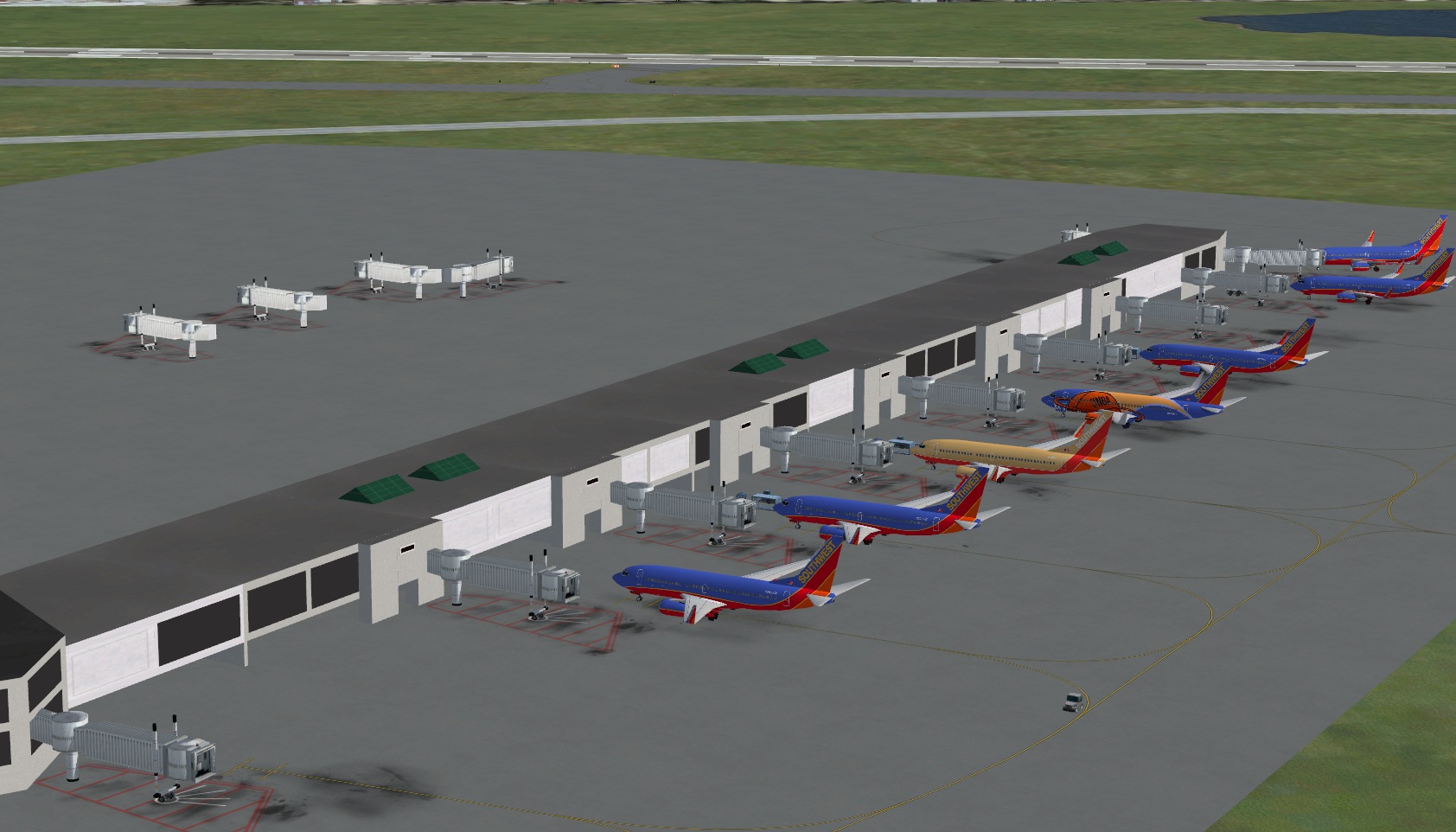
OK, here's a shot of Concourse C. As you can probably tell, it's not finished yet, hence the jetways sitting in the middle of the ramp :biggrin:
-
definitely freeware!
-
I'm currently working on Concourse C. I'm not familiar with the bridge you're referring to, but I'll try to find it in Bing Maps. I'll also try to take some more screen shots.
-
If you don't like it you don't have to get it. I don't really care what you think.
-
I have Concourses A and B finished. I'm working on Concourse C now. Here are a couple of screen shots.
-
I just started on a better version of KBNA. It's in its very early stages, so don't expect it to be done for awhile.
-
I had the same problem with ATC not identifying the FSX CRJ-700's by their airline callsign, only by their manufacturer and tail number. I had added a repaint of the CRJ-700 in United Express colors and created a flight plan for it, only to find out that ATC would only identify it by its manufacture and tail number,not its callsign, even though I had the line "atc_airline=Skywest" in the aircraft.cfg file. I tried switching planes, using the default Orbit and Pacifica aircraft, but the problem persisted. Finally I figured out what the problem was. There is no line included within the CRJ-700's aircraft.cfg file named "atc_flight_number=". As soon as I added this line to my United Express entry and included a flight number, ATC would then correctly identify my aircraft by its callsign and flight number.
-
The update has been uploaded to the file library.
-
A couple days ago I uploaded four tutorials for FS2004, in which the user installs new scenery in the FS9 Scenery Library, downlaods and installs new aircraft from Project AI, adds the new aircraft to the Traffic Tools Aircraft.txt file, and creates a simple flight plan within the Traffic Tools Flight Plans.txt file. Well, little did I know that Project AI has a totally new way of installing new aircraft. For anyone who may be puzzled at the results they experienced after downloading and installing the B735 Paint Kit, don't despair. I am working right now on revamping Tutorial #2, explaining the new installation procedure for Project AI aircraft. It doesn't look like I'll be able to finish it for a couple of days, though. Look for the new Tutorial #2 late this weekend sometime! Sorry, but this was something which was completely out of my control.
