KPBG
Members
-
Joined
-
Last visited
Everything posted by KPBG
-
Thanks for the PM. Disabling then enabling the MCP1 did the trick. Now everything is working again. And, no issues with the MCP1. Thanks again for all your help! p.s. I just sent along a PayPal donation (long overdue since I've been using LINDA since the early versions : )
-
No worries. Is there something else I can do on my end to get you more data? Also, I did revert back to version 2.7.0 and I've got my buttons working again. Please let me know if you want me to test a new version. Thanks for the quick reply and for all your efforts updating LINDA! p.s. I brought my setup to FlightSimCon in Connecticut a couple of weeks ago and told everyone about how LINDA made it incredibly easy to set up custom panel configurations.
-
Hi. I just updated P3D, FSUIPC (paid version), and LINDA (new version, thanks!). However, LINDA is not working now. I mean I can see all of my assignments for the Alabeo C404 (copied my backed up folders to the modules folder as instructed in the updated directions), but I can't reload the Lua engine (usually solved any problems I had in the past). Instead, I'm getting a strange error message when I try to reload. The console give me the following message: "[E] *** LUA Error: E:\P3D\Modules\linda.lua:135: attempt to perform arithmetic on a nil value". Thanks in advance for any and all help. Oh, and I'm using an MCP1 along with custom built switch panels connected via Bodnar boards.
-
Hi, folks. I just got the hang of writing basic (very basic : ) Lua scripts for my Carenado Baron panel (homebuilt). I've got every switch of mine working the corresponding button in the sim except for one instrument. The DME Position indicator (below the HSI) sends an FSX Control (Dme_select and parameter or 1 or 2) and an LVar command (DMEPOS 1 or 2). Is it possible to write an Lua command that will do the FSX command and the LVar? Here's what I have for this section, just need to add the FSX command and not sure how. Thanks for any and all help! -- Dana -- ## DME Position ## function DME_1_Position () ipc.writeLvar("DMEPOS",1) end function DME_2_Position () ipc.writeLvar("DMEPOS",2) end
-
Hi, Blaze. Yeah, it was so simple to learn. No more fiddling with knobs. Hey, check out this thread of mine regarding updated nav data: http://forum.avsim.net/topic/458546-updated-gps-nav-data-for-ga/
-
He's always got good advice. I'll have to go over to the website and check it out : ) Regards.
-
Great find, Blaze. I was wondering the same thing myself. And, I'm loving the 750. You?
-
Hi, TJ (and friends). I'm sorry not to respond sooner. Okay, so I went ahead and ordered the 750 for P3D. Observations? It's big, beautiful, and fun. I have been using it as a pop-up in the upper right-hand part of my screen with my trusty Carenado Archer (have also undocked it and moved it to my second monitor). In terms of update info, you can get by with a little help from your friends (see post above). The 750 is just a blast to use. (starting to imagine what it would be like on touchscreen monitor : ) With that being said, I guess the choice of Mindstar versus Flight1 comes down to if you fly in real life and what you fly in real life. I trust you will be much more likely to fly a plane in real life that is equipped with a couple of 430s or even a 530 (although our club plan had neither, but did have a LORAN : ) If I were still flying in real life, I would probably choose the Mindstar stuff with the RealNav subscription. However, now that my kids are bigger (and more expensive) it's looking less and less like I'll be flying for real again anytime soon. So, for me, the GTN750 is a fun way for me to learn to fly IFR using the latest and greatest Garmin hardware and using more recent data than the Wright Brothers used : ) Okay, good luck with your decision. Happy flying (and happy new year).
-
Thanks for all the help guys. I've got family stuff the rest of the day (my kids think I'm worse than them regarding screen time : ) Back at it tomorrow. I'll leave a post to let you guys know how this all works out. Thanks again!
-
Hi, folks. Thanks for the info. Bert I took a closer look at the GTN units. Good stuff. Ryan, I read your "mini-review" of the GTNs; it was informative. Thanks. Wford, thanks for your offer : ) Okay, here's where I'm at: I read Ray Marshall's exhaustive review of the F1 GTN units. Nice. And, I just spent another two hours reading forum posts regarding the Mindstar and Flight 1 units for background. I was sold on the Flight 1 GTN units until I read that the database is from 2011 (and may not be able to be updated at all per a comment dated 17 November by HeavyFlyer on Ray's review). Bert, is there a work-around for updating the GTN units? In one thread, you said, "Yes, but as far as navdata goes, just like the GNS, there are newer expired Garmin databases available if you ask around." Could you please clarify? On the other hand, I see that Mindstar released an update two weeks ago that enables WAAS approaches in their product (and I get quarterly updates if I buy the RealNav subscription). I would love to use the GTN units (could be a blast on a second, touch-screen monitor), but updated navigation data is important to me moving forward. Bert, can you please advise regarding updating the GTNs somehow? Thanks!
-
Hi, folks. Quick question. I'm looking for a GPS with updateable nav data that I can use to practice current, real-world approaches in a GA platform (think Piper Archer, Beech Bonanza, Beech Baron). I have been looking at the Mindstar GNS 430/530 product with a RealNavData subscription. What else should I be looking at? Thanks in advance.
-
Hi, again, Richard. Well, I started from scratch with a fresh install of my original UT2 program file and then installed all of the incremental updates for both the program and the schedules (all via EMT). And, it worked! I was sure to run the installs as administrator this time. Thanks for your help. Have a great weekend. -- Dana
-
Thanks, Richard. I'll do a fresh installation tomorrow of UT2 via EMT. I'll try reinstalling the 2013 schedule on top of that and I'll make sure that I'm doing it as the admin. BTW, I didn't do anything fancy for the install besides use EMT and add the autostart lines to the XML files. It worked like a charm with my original UT2 installation file. However, the Summer/Fall 2013 installation file did all sorts of crazy database updates. Wondered if that were part of the issue. In any case, I'll try again using the admin option. Thanks! p.s. I have to say what a nice surprise P3D 2.4 is. I have a relatively modest system and I'm getting great visuals and smooth flight. It keeps getting better and better.
-
I was able to install my existing copy of UT2 via the EMT into P3D 2.4. I edited the XML file and all was working fine (including the autostart via the XML). However, when I installed the Summer/Fall 2013 Schedule (with EMT and the virtual FSX enabled), I got a weird windows unhandled exception error when I went to launch the UT2 interface (have to force close it from the dialog box that pops up). I'm able to manually load the 2013 traffic into P3D after P3D startup, but no luck on the interface -- I really want to tweak the limiter options like I could in my initial installation (yes, tweaking the traffic level does work using the in-game menu bar). Has anyone else had trouble with this? I hope this is a simple one. If not, I'll replicate the installation (did the same thing twice today) and forward screen captures of the error messages. Thanks for any and all advice.
-
Thank you!
-
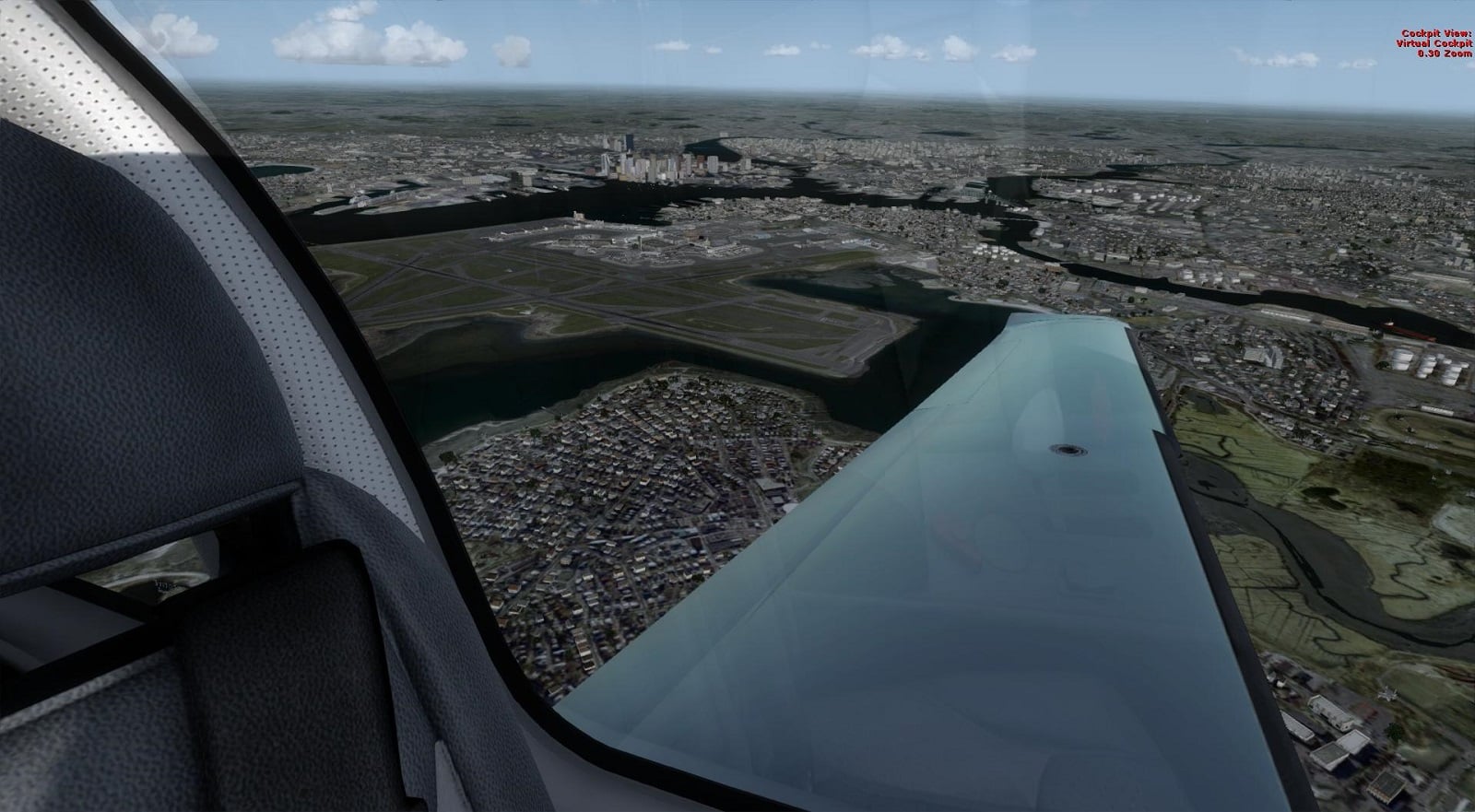
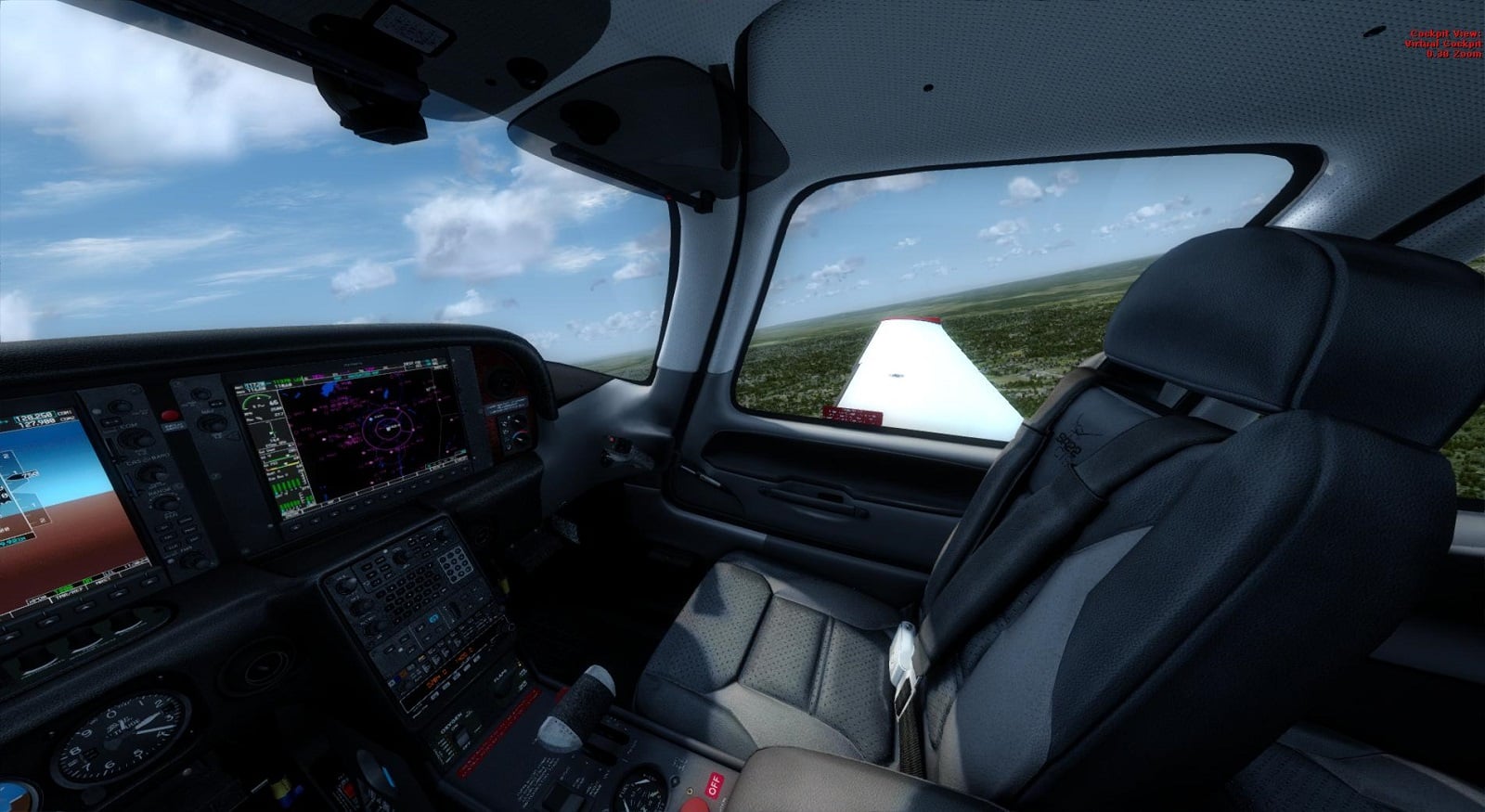
Hi, folks. I hope this works (newbie to uploading screen shots). Here are a few shots of the Carenado SR22 over FlyTampa's KBOS. I also have a shot to show how the shadows in P3D V2 have given new life to my Carenado Archer II. And, finally, I have a couple shots of the SR22 departing Albany with FTX Global scenery. I'm loving the shadows. And, yeah, I know I have to update my signature, but I'm running an old i7 920 at 4.0 with a 660 Ti.