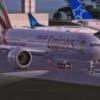
August 7, 201015 yr The landing and taxi lights display on the ground in full in an external view of the CLS A330, but appears to be truncated in the 2D cockpit view - see attached pics.Is there anything that can be done to fix this? Harry Sung
August 7, 201015 yr Moderator The landing and taxi lights display on the ground in full in an external view of the CLS A330, but appears to be truncated in the 2D cockpit view - see attached pics.Is there anything that can be done to fix this?No images... Fr. Bill AOPA Member: 07141481 AARP Member: 3209010556 Avsim Board of Directors | Avsim Forums Moderator
August 7, 201015 yr Author No images...You need to click on the images to view them ... with the new AVSIM interface. There is no longer an edit button for the author ... Harry Sung
August 7, 201015 yr Moderator You need to click on the images to view them ... with the new AVSIM interface. There is no longer an edit button for the author ...I did that before posting my original reply. Clicked on 'em and watched a little "loading circle" spin for about five minutes...Strange you can't "Edit" your posts, because I certainly can......even posts I made eight years ago... :( Fr. Bill AOPA Member: 07141481 AARP Member: 3209010556 Avsim Board of Directors | Avsim Forums Moderator
August 7, 201015 yr Author I have re-attached the pics ... hope they are visible this time. I still can't find the "Edit" button in this new interface ... The Edit button is now available to me ... probably teething issues which are now ironed out. Edited August 7, 201015 yr by hsung Harry Sung
August 8, 201015 yr Moderator Open your Cameras.cfg file (same folder where fsx.cfg is located), and add this to the second camera: [CameraDefinition.002]Title = Virtual CockpitGuid = {C95EAB58-9E4A-4E2A-A34C-D8D9D948F078}Description = This is the description of the virtual cockpit view.Origin = Virtual CockpitClipMode=Minimum This should have been done by MS/ACES before they released FSX to the market. This might solve your problem, but it will definitely fix some other issues with nav/strobe lights "moving around" on you... :( Fr. Bill AOPA Member: 07141481 AARP Member: 3209010556 Avsim Board of Directors | Avsim Forums Moderator
August 8, 201015 yr Author Open your Cameras.cfg file (same folder where fsx.cfg is located), and add this to the second camera:This should have been done by MS/ACES before they released FSX to the market. This might solve your problem, but it will definitely fix some other issues with nav/strobe lights "moving around" on you... :(This didn't fix it for me, but it did fix the problem of the flashing beacon light in the cockpit of the PMDG 747-400X (Thanks). However, I put the "ClipMode=Minimum" line in [CameraDefinition.001] because this is the origin of my problem.I should mention that the problem of the truncated lights only occurs in the CLS A330, but not the PMDG 747 or the Wilco A330. So, the root cause is probably related to the model and nothing else can be done? Harry Sung
August 8, 201015 yr Moderator That does indeed sound like a "model problem..." Have you contacted CLS about it? Fr. Bill AOPA Member: 07141481 AARP Member: 3209010556 Avsim Board of Directors | Avsim Forums Moderator
August 9, 201015 yr Author That does indeed sound like a "model problem..." Have you contacted CLS about it?I was afraid of that. Someone has logged the same problem with CLS last June and still waiting for the reply ... Harry Sung


Create an account or sign in to comment