Skip to content
View in the app

A better way to browse. Learn more.

The AVSIM Community

A full-screen app on your home screen with push notifications, badges and more.

To install this app on iOS and iPadOS
  1. Tap the Share icon in Safari
  2. Scroll the menu and tap Add to Home Screen.
  3. Tap Add in the top-right corner.
To install this app on Android
  1. Tap the 3-dot menu (⋮) in the top-right corner of the browser.
  2. Tap Add to Home screen or Install app.
  3. Confirm by tapping Install.

Trainer Not Starting in Standalone Mode

Featured Replies

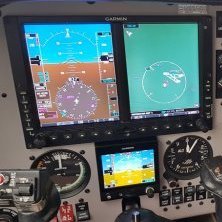
I'm not sure if this question is appropriate, but if I start the 3.30p Trainer in standalone mode, the unit does not turn on. All other buttons appear to work OK, the unit simply won't power up. Works OK in P3D4 though. I was just wondering if there is anything different about this version of the Trainer?

David

David Porrett

Yes, this is normal and expected.

  • Author

Thanks Jean Luc - in the past IIRC you could always run the Trainer by itself for other purposes.

David Porrett

Archived

This topic is now archived and is closed to further replies.

Account

Navigation

Search

Search

Configure browser push notifications

Chrome (Android)
  1. Tap the lock icon next to the address bar.
  2. Tap Permissions → Notifications.
  3. Adjust your preference.
Chrome (Desktop)
  1. Click the padlock icon in the address bar.
  2. Select Site settings.
  3. Find Notifications and adjust your preference.