


jabjoker
Members
-
Joined
-
Last visited
Everything posted by jabjoker
-
Hi there I am a beginner in terms of LINDA busy implementing it, but I also had the "range check error" until I deleted my old FSUIPC4.ini file - no more messages & LINDA closes properly. The obvious drawback in this solution is that you will have to re-install all your axes. Hope this is of assistance Regards Hans
-
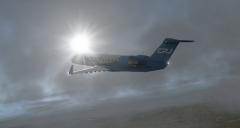 JRollon CRJ-200 late afternoon over Spain
 -
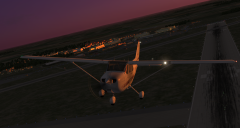 Early morning departure from RAF Markham
© Nil
-
jabjoker replied to jabjoker's topic in System Hardware: PC | MOBO | RAM | CPU | HDD | SSD | PSU etcPlease note after 10 days of frustration I have decided to un-install FSX & re-install FSXHave done the basics & added one of my third party aircraft & so far so good.Hopefully this wiil remain so once I have re-installed all my other 3RD Party Software.Thanking you all
-
jabjoker replied to jabjoker's topic in System Hardware: PC | MOBO | RAM | CPU | HDD | SSD | PSU etcHi ThereYes my Yoke & Logitech have POV I disabled the one on the Logitech Yes I can unplug each of the devices, the problem disapears the minute I unplug the Saitek Flight Yoke
-
jabjoker replied to jabjoker's topic in System Hardware: PC | MOBO | RAM | CPU | HDD | SSD | PSU etcHi ThereThanks for your prompt reply.I use FSUIPC for all my settings, I have deleted all duplicates for example only the POV on the SAITEK yoke has been set in (the Logitech Extreme 3D has been cleared), the Calibration page of the FSX Settings-Control Menu has been disabled on the "Enable Controller's" section. All Joystick commands on the "Buttons/Keys" page for the Mouse Yoke & Mouse Look have been removed. All without avail. Hi Peter,Thanks for your prompt reply.I use FSUIPC for all my settings, I have deleted all duplicates for example only the POV on the SAITEK yoke has been set in (the Logitech Extreme 3D has been cleared), the Calibration page of the FSX Settings-Control Menu has been disabled on the "Enable Controller's" section. All Joystick commands on the "Buttons/Keys" page for the Mouse Yoke & Mouse Look have been removed. All without avail.RegardsHans
-
I recently replaced my CH Yoke (it was well used) & throttle quadrant with Saitek Pro Flight Yoke two throttle quadrants as well as a Multi Panel & Radio PanelI have not been able to use the system.When I load FSX in virtual cockpit the view goes to the top, after panning down it goes backward again.I have searched various forums to no avail.Also when booting up FSX I get a green screen which dissapears once I have pressed Alt-TabShould I re-install FSX? (Something I am very reluctant to do because of all the third pary add-ons I have)Any guidance would be highly appreciatedHans Brokke
-
B747 for FSXI have a problem in that when I initialise the IRS alignment it counts up (yes increses)in time instead of decreasing.What could be the problemThanking you Hans
-
B747 for FSXI have a problem in that when I initialise the IRS alignment it counts up (yes increses)in time instead of decreasing.What could be the problemThanking you:(
-
jabjoker replied to jabjoker's topic in The AS16 and ASCA | Active Sky | Active Sky Next | XPAX Support ForumHi Jim,I did not do a re-install but managed to download quiet a few archived files last night.Obviously the gremlin has gone!I initailly thought it was my Norton Anti-virus as I disabled it, but when enabled I still managed to download files.Maybe it has soemthing to do with the poor quality of my internet provider connection.Anyway thanks for tha assisatnceHans Brokke (jabjoker)JohannesburgSouth Africa
-
jabjoker replied to jabjoker's topic in The AS16 and ASCA | Active Sky | Active Sky Next | XPAX Support ForumStill have the problemOnly downloads current weather no archive files.Should I re-install ActiveSky?RegardsHans Brokke (jabjoker)
-
jabjoker replied to jabjoker's topic in The AS16 and ASCA | Active Sky | Active Sky Next | XPAX Support ForumHi MarkI will try different dates to see if that is the case I think you might be right since I have manage to download 4 archives previously.What I will do this weekend is try and download one or two of those again and if that works then we know that what I am looking for is obviously not in the Archive Files.Hans Brokke (Jabjoker)
-
jabjoker replied to jabjoker's topic in The AS16 and ASCA | Active Sky | Active Sky Next | XPAX Support ForumYes, because it does download the current.This is what is on the lineC:Program FilesMicrosoft GamesFlight Simulator 9ModulesActiveSky2004
-
I have recently purchased ActiveSky2004.5I have browsed the forum and could not find the answer to my problem.When I download weather I have no problem downloading the current weather, but as soon as I go into the archives I end up with the error message "Invalide waether file folder. Please set a valid folder before continiuing"Please some one help, I am sure the problem is simple, since I have downloaded 1 archived file last week.
