June 22, 201016 yr I am a beginner at repainting FSX aircrafts, but have been learning to use Paint.NET 3.5.4. I notice that the textures of my repaints are somewhat blur at close up after my edits. Is this related to how I save the texture files or something else?I use DXTBmp to open/save the texture files before/after editing using Paint.NET. Harry Sung
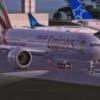
June 22, 201016 yr Author I think the blur is caused by the play of light on the aircraft. In the pic of the right fuselage below, the words "Spirit of Australia" is shiny when against the sun, hence, causing some blur. The pic of the left fuselage shows the same words in a matt colour when not against the light or sun.How can I alleviate these reflections?What's strange is I did not edit this part of the fuselage ... so, what caused this change? Harry Sung
June 22, 201016 yr The pic of the left fuselage shows the same words in a matt colour when not against the light or sun.What's strange is I did not edit this part of the fuselage ... so, what caused this change?Mind!The extreme gloss is NOT on the sun lit side.This is kinda bug in MSFS , the gloss is optimal at the shaded side.There is nothing we can do about that phenomena.You did not edit this part of the fuse you wrote , I assume you juste opened en saved them again in DXTBmp.Try to re-install the original files and see what happens then.Leen
June 22, 201016 yr Author Got a neat tip from Kwilson at FlightSim forum below (http://forums.flightsim.com/vbfs/showthread.php?t=215487)."In the upper right of the DXTBMP screen is box titled mipmaps. If you have ticked the "include when saving" then you are including mipmaps which may make your textures more blurry when you see them from a distance."Excluding the mipmaps when saving did the trick ... it's like putting on correction glasses for me I guess the trade-off in switching off the mips are there are time lags in rendering the textures during flights? Harry Sung
June 22, 201016 yr Got a neat tip from Kwilson at FlightSim forum below (http://forums.flightsim.com/vbfs/showthread.php?t=215487)."In the upper right of the DXTBMP screen is box titled mipmaps. If you have ticked the "include when saving" then you are including mipmaps which may make your textures more blurry when you see them from a distance."Excluding the mipmaps when saving did the trick ... it's like putting on correction glasses for me I guess the trade-off in switching off the mips are there are time lags in rendering the textures during flights?no,I don't notice any difference except having no blurries.I save most textures in DXT3 with some saved in 32 bit.Haven't used Mips for well over 6 years,though.
June 22, 201016 yr Nice you found the solution.I was already thinking about other causes.I ussumed you had a look at the Repaint FAQ`s before asking here. ( saves time and effort)The answer is therehttp://forums1.avsim.net/index.php?showforum=339 question and answer nr 7That`s what FAQ`s are for.RegardsLeen de Jager
June 22, 201016 yr Author I had looked at the FAQ for another question previously, but did not find the answer ... So, I was re-amissed not to check it again for this question, but will remember to do so next time :( Harry Sung
June 23, 201016 yr I had looked at the FAQ for another question previously, but did not find the answer ... So, I was re-amissed not to check it again for this question, but will remember to do so next time :(That "other question"?Should that question and its solution be added to the FAQ`s ?If yes , shoot.As I wrote at the FAQ`s: " I welcome ideas for the FAQ , please contact me by mail or PB.The same goes for additional or better questions and answers."Leen
June 23, 201016 yr Author That "other question"?Should that question and its solution be added to the FAQ`s ?If yes , shoot.I have posted the other question and got good replies in the http://forums1.avsim.net/index.php?showtopic=287886 thread. Harry Sung
June 23, 201016 yr I have posted the other question and got good replies in the http://forums1.avsim.net/index.php?showtopic=287886 thread.OK, yes I have seen that one and contributed a little to it.Thanks for responding.This question however is`nt a specific aircraft-repaint question.There are so many excellent tutorials about ( the various ) painting-programs and how to use them , it`s quiet useless and far to extensive to be placedin a Repaint FAQ`sI try to keep all questions in the FAQ`s strictly aircraft repainting related.All other information about painting-programs can easily be obtained from the www.RegardsLeen de Jager


Create an account or sign in to comment