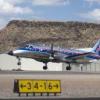
March 6, 20197 yr So I just bought the Falcon 50 after several months of flying the amazing Lear. Running 4.4 and this is what I get for the outside of the falcon 50....VC and interior work just fine, can see the wings etc from inside.. Nick Silver http://www.youtube.com/user/socalf1fan Ryzen 7 5800X3D, 64gb ddr4 3200mhz ram, RTX 4080 Super, HP Reverb G2 v2, 4K Tv Monitor
March 6, 20197 yr Commercial Member If you are using Ezdok2 or Ezdok3, run the EZCA Config tool before running P3D 4.4. Nick Bebyakin / Handmade cameraset - Ezdok v2 and Ezdok v3 EZdok Software. Support remains on the http://www.ezdok-camera.com/ [email protected] / 20Gb / RTX 2060-OC-6Gb / Win10x64 / MSFS2020
March 6, 20197 yr Author 22 minutes ago, Nickbe said: If you are using Ezdok2 or Ezdok3, run the EZCA Config tool before running P3D 4.4. Sorry should have specified, running good ol Chaseplane, latest edition of reality XP GTN750/650 😞 Edited March 6, 20197 yr by BrasiliaNick Nick Silver http://www.youtube.com/user/socalf1fan Ryzen 7 5800X3D, 64gb ddr4 3200mhz ram, RTX 4080 Super, HP Reverb G2 v2, 4K Tv Monitor
March 6, 20197 yr I have the same issue. Just bought the airplane and followed the installation instructions to a T, reinstalled several times with no luck.
March 6, 20197 yr Author Yeah I have tried re downloading the installer, deleting, re-installing etc with no joy. I can fly the plane, which is a good thing. Startup, etc everything in the cockpit functions and looks great tbh, but any external view looks like my pic, including the rotating model on the plane select screen in P3D 4.4 Nick Silver http://www.youtube.com/user/socalf1fan Ryzen 7 5800X3D, 64gb ddr4 3200mhz ram, RTX 4080 Super, HP Reverb G2 v2, 4K Tv Monitor
March 6, 20197 yr Try using the default F-35 as your start up rotating aircraft in the P3Dv4.4 window. For reasons I can't explain this has seemingly fixed some strange problems for a number of us. I would also delete any saved flights since they may be corrupted at this point. Al
March 7, 20197 yr Author SOLVED: I had URP shaders running. Reset them via the URP app to default and everything works. Nick Silver http://www.youtube.com/user/socalf1fan Ryzen 7 5800X3D, 64gb ddr4 3200mhz ram, RTX 4080 Super, HP Reverb G2 v2, 4K Tv Monitor
March 21, 20197 yr I have the same issue. URP is not installed. I have uninstalled/reinstalled the aircraft, and deleted my shaders files. ATP BE300 BE400 CE500 CE560XL DA20 MU300
March 22, 20197 yr Seems that there is something unique to your system that is causing the problem, so how best to find out what? If you have addons I would suggest disabling them all, and if that solves the problem then add them back one by one until you find the culprit. I would also delete any saved Falcon 50 or default flights if you have any, and start with the F-35 as the default first loaded aircraft. The only other thing I can think of is to redownload the installer in case what you have was corrupted somehow. If you try this uninstal the old Falcon before reinstalling and make sure no files remain in the old install location before reinstalling. Edited March 22, 20197 yr by ark


Archived
This topic is now archived and is closed to further replies.