


flying_w
Commercial Member
-
Joined
-
Last visited
Everything posted by flying_w
-
Hi Jay, Thanks for the help. I discovered my sound folder was virtually empty, so it's likely something went wrong in the original P3D V3 install (although I don't recall any errors being reported). In any case, I uninstalled the deficient 3.0 content, installed the 3.1 content and everything is the way it should be. Simon
-
Somewhere along the way in my Prepar3D V3 journey, I have lost both the ability to see ATC text and hear ATC voices. When I try to do anything with ATC, I get the window coming up with the appropriate options, but when I select an option it "completes" really quickly with no communications text and no voice. If I look further into Sound options in Prepar3D, where I normally expect to see a list of the voices available the list is in fact empty. Not sure if I had this in 3.0 as I moved to 3.1 very quickly, and I'm sure it's just me rather than something systematic. But before I go to a little trouble of a reinstall, does anyone know another way to get ATC working again? Thanks Simon
-
flying_w replied to flying_w's topic in Video Hardware: Monitors | Multi-Monitors | Video Cards | Drivers etcJust thought I'd report in with the end of this story. A new Gigabyte 980Ti arrived today and I'm relieved to say it worked perfectly (in the same computer as the Palit). So I think we can safely conclude the previous Palit card was faulty rather than the PC itself or my sanity. Nothing bad to say about Palit, there support was excellent and the RMA process painless. There's every chance a Palit replacement card would have worked but I decided to play it safe with another vendor just in case. And finally I'm very grateful of the suggestions, support and encouragement received here. Thanks everyone! Simon
-
flying_w replied to flying_w's topic in Video Hardware: Monitors | Multi-Monitors | Video Cards | Drivers etcThank you for the link, and I'd have been glad to try it had the card not already been returned. Palit wrote to me to say I already had the latest bios so that was the end of the story as far as they were concerned and it was time for an RMA. I'm certainly glad of the support I received, although I'm a little hesitant now about buying another 980ti (the RMA was for a refund). Simon
-
flying_w replied to flying_w's topic in Video Hardware: Monitors | Multi-Monitors | Video Cards | Drivers etcI reached out to Palit for help and I'm glad to say I received a reply. While it may be a stock answer to every situation, I was impressed to receive anything based on my experiences with other manufactures over the years. For anyone else in this situation, they suggested the following: Please try below possible solutions. 1. If the graphic card is dusty please clean dust from the graphic card. (Dust might keep some wet and affect electric components) 2. Clean the PCI-E "gold finger" of the graphic card by an eraser. 3. Download the DDU to un-install current graphic card driver and clean driver leftover files completely. Then install the latest graphic card driver. DDU: https://forums.geforce.com/default/topic/550192/geforce-drivers/display-driver-uninstaller-ddu-v12-9-5-1-released-06-18-14-/ Download driver website: http://www.nvidia.com/Download/Find.aspx?lang=en-us 4. Please upgrade the motherboard BIOS to the latest version. 5. Upgrade the graphic card BIOS to the latest version. Please follow the steps of attached TXT file to backup your graphic card’s BIOS and then send to us. We’ll provide the latest BIOS for you to try. Please also provide the S/N of the graphic card to us. You can find it from the product box or the sticker in back of the graphic card. If the error remained and if it's possible please test the graphic card in another PC. If the error happened again please contact the store where you bought the graphic card to claim warranty. From the above I have tried everything except the VGA bios, which I have provided to them as requested. Last restore, and not a bad one, is RMA. Thank you, all good suggestions here. I have tried: - On my Ti it's a 6 and 8 pin connection; - Tried feeding each from separate rails on the PSU; - The fans spin up during PC bios and initial windows boot, but go off as soon as Windows desktop is up as there's little load at that point. - When running load tests the fans do not kick in. That said, the lack of output could be a "crash" as it happens so quickly and the load may have been disposed of. - Tried now in two PCs, one with a Corsair 1050W PSU and another with CoolerMaster 750W. And in all cases the results are unchanged. I did monitor the situation with GPU-Z, and when load is applied the card frequency, voltage and performance counters all step up a little for one reading in the log, after which further readings all contain "no values" for the various metrics. Another symptom of crash or failure perhaps. I suspect this one is heading for RMA, and thanks once again for the ideas. Simon
-
Just acquired a new GTX980Ti to upgrade my GTX970 which is working just fine. With the Ti I can get as far as the windows desktop most of the time, but any significant graphics load causes the monitor to go black and report "no signal detected". It does this on every card port (DVI, DisplayPort and HDMI) and even the scenario screen with the spinning aircraft on FSX/P3D is enough to bring it down. Sometimes even the Windows 10 desktop does it in, Windows 7 seems to be OK. I've tried everything I can think of: - Updating drivers - Different versions of windows - Different cables and rail combinations from the PSU But nothing seems to fix it. I put the 970 back in and it works fine, right up to 99% GPU consumption if I wish. The first thought is PSU problems, but it's hard to accept when the 970 works fine and the Ti can't even manage minimal 3D workloads. The second thought is a faulty card. Anyone come across this kind of thing before? Thanks Simon
-
One of the features I liked in GEX is woodlands didn't always have very dense autogen trees which was good for FSX performance. However in P3D that's much less of a concern, and ORBX have some spectacularly dense forest for example in the New Zealand region packs. In fact so dense it's sometimes hard to see the forest floor (texture). Now I don't wish to compare either product to an ORBX region pack, but how do the forests look in FTX Global compared to GEP3D? Thanks Simon
-
Thanks all for contributing, sounds like SLI and 4K are worthy investments. I won't expect FPS miracles! Simon
-
I agree about the CPU. However as I run with unlocked frames and vsync to a 30Hz screen, the CPU is often well under 100% on the main core. Indeed this gives me scenario and scenery tuning options to get more (or less if it does bottleneck) as the demand is not hidden in the way it is for simulator locked frame rates. If I have read correctly, P3D V2 was optimised for SLI (by Nvidia?). Is the same true for V3, or perhaps way too soon? Thanks Simon
-
Before I go off and make a regretful purchase, anyone experience with Prepar3D V3 and SLI? In particular, is there any benefit in SLI for: a) The prepar3d graphics workload in general b) Running a 4K monitor c) Running a 2K monitor, but with DSR processing the image at 4K? I would like to go to 2x GTX970. The one I have is currently doing a fine job, but I can find scenarios where is run out of capacity. Thanks Simon
-
I would like to buy a new monitor or TV for Prepar3D. Now it just so happens on my set up the best experience is to run frame rate unlimited on the simulator, so long as the display is the providing the limit via a 30Hz refresh rate. My BenQ monitor only support 60Hz so that's no good, and I have one old Samsung LED TV that can do 30Hz and another that cannot (it can do 30Hz interlaced, but in the simulator that is 60 fps). Most TV and monitor specifications will give you a headline rate of say 60Hz or 120Hz, whatever makes it look good on the sales page. The question then is, how can I be sure I'm getting a device that can support a "real" 30Hz (i.e. 30hz progressive scan on a TV)? Thanks Simon
-
flying_w replied to megapixle's topic in System Hardware: PC | MOBO | RAM | CPU | HDD | SSD | PSU etcI'd go with option 2 also. In some parts of the world (maybe all of them) the 6700K is in short supply so prices may be a little higher than they should be. If you look around other threads on the forums, there's talk of a new Nvidia card in 2016 that may be signifcantly better than anything we have now ("Pascal"), so it might be worth just getting "enough to keep you going". And I've had nothing but a good experience with my 970.
-
I didn't like AA off so it's back on. DSR is a big improvement (subjectively) for certain aircraft instrument panels and certain sceneries. By no means is everything perfect, but so far I am happy with it. I need to try some performance scenarios that used to challenge my old settings of SGSS. Simon
-
If I recall correctly, I needed to disable my second monitor. Until doing that, I could only change to 1.25x resolution. After disabling I could also do 1.5x and 2x. Sometimes difficult to see, so I always turn on the red text at the top left of the screen (eg. frame rate). After changing resolution, this should change in size and position, going smaller for higher resolutions. Simon
-
I reckon 5.4 should work to a significant extent in P3D, I don't think anything has changed between the schedule BGL and MDL Model file requires between the two simulators. That said, you'll need to do it by hand. I set up MyTraffic 6 in that fashion, by simply adding the MyTraffic Scenery folder to the P3D scenery library and editing the SimObjects file to contain the path to the MyTraffic Aircraft. If you need to use the MyTraffic Tools or Communicator, that's perhaps a different matter. Simon
-
I am in the same boat. I'm currently thinking of the ASUS Gaming Pro as it seems to hit a pretty good feature set v. price point and I like the idea of the CPU insertion tool they provide. However, perhaps people here can talk me up to something higher in the range?
-
Hi, sorry I didn't mean to imply DX10 in FSX-SE is any better than it is in FSX without mods being applied such as the DX10Fixer; FSX-SE has all the problems FSX does in DX10. However overall I find it a slightly better simulator so I have switched to it permanently. DX10 is great for day time flying, but I find the performance worse at night so I return to DX9 for that. Simon
-
Thank you. I had renamed my old FSX folders away, and created junctions from the old FSX names to the new FSX-SE names. That convinces most add-ons they are working with FSX rather than something else, but I hadn't appreciated the local folder until now. FWIW I did the same in the local folder and linked from FSX to FSX-SE, and DX10Fixer is happy now. Simon
-
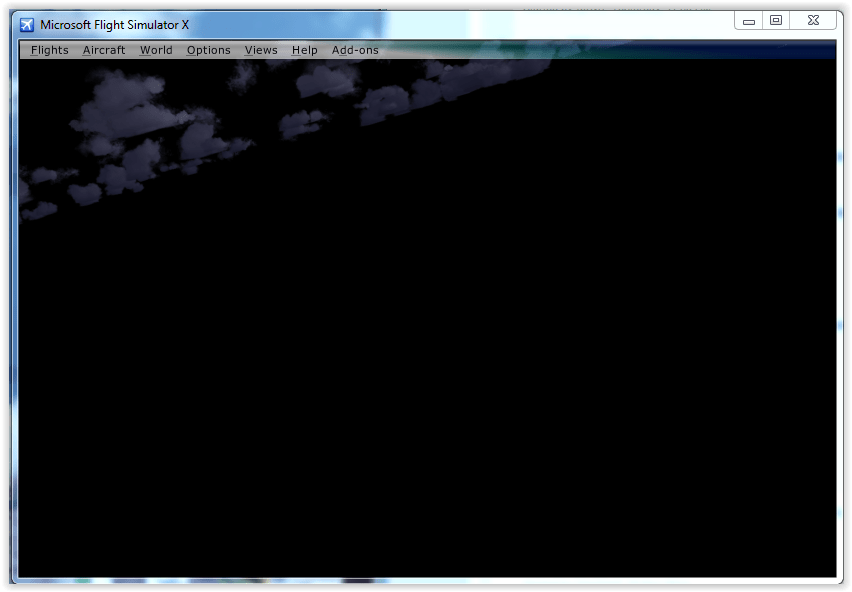
I'm on a new adventure with FSX Steam Edition. Here DX10 works as well as it ever can "out of the box", however the time came to install the DX10 scenery fixer that had worked very well for me with regular FSX. All went well during installation, but the first time I started FSX_SE after going through all the options in the fixer I had a black screen where the selected aircraft should be in the free flight dialogue. If I went on to fly, I'd get a mostly black screen with some very dark clouds. If I uninstall the libraries, normal service (in FSX-SE) is restored. Is there something I've overlooked somewhere? Simon
-
I believe UsePools=1 is the default value, perhaps hard coded inside the simulator and modifiers in the cfg are supported. Why? When I use the default fsx-se.cfg in DX9 everything looks great. If I add UsePools=0, in no time at all I'm getting loads of scenery flashes and spikes. I use to get those in regular MS FSX also. Therefore it would seem the default is to use pools, and it can be overridden. However DX10 is another matter entierly. UsePools=0 works much better for me than it does in DX9, I've no idea why. Simon
-
My gains were more modest, FSX-SE running about 10% faster than FSX. Both had just MyTrafficX and UK2000 Manchester, I'd only just started out rebuilding my FSX system from scratch. In FSX, I had the changes as per Bojote, bufferpools=0 being the most significant FPS gain in both simulators.Interestingly setting FFTF=0.1 in FSX-SE did not make any difference to FPS, that's different to my experience in FSX and requires further investigation. Simon
-
On various Haswell based processors I understand it is possible to individual clock cores with specific ratios, so it is possible, stability allowing, to overclock one core higher the rest. It occurred to me that's a good combination with FSX affinity mask, i.e. configure your main FSX thread that typically runs at 100% on your highest overclocked core. This perhaps would be core #0, or core #1 with affinity mask. And to get the absolute best for the main thread, maybe even reduce the overclock on the other cores a little to push the main thread overclock even further. So a couple of big assumptions here: a) That the main simulator thread always runs on the same core. Windows task manager makes me think it does as it is always the same core (#1 with my affinity mask) that's 100%. Is that the way windows task scheduling works? b) That a single core can be overclocked enough compared with the others to make the exercise worthwhile. Anyone been down this road before? Simon
-
flying_w replied to Sesquashtoo's topic in Video Hardware: Monitors | Multi-Monitors | Video Cards | Drivers etcThe main issue addressed is shimmers and those are really painful on my system whenever the camera viewpoint moves. Anytime the airplane moves, I see shimmers. Perhaps the shimmers weren't so much of an issue for you to start with? On DX9 they weren't for me either, but DX10 is a different story. FSX is full of trade-offs. For me trading shimmers for slightly blurry display and maybe a small performance decrease is a win. It will not be so for everyone. Simon
-
flying_w replied to Sesquashtoo's topic in Video Hardware: Monitors | Multi-Monitors | Video Cards | Drivers etcYou should see the difference straight away when looking at menus, in game text, the ATC window or switching between windows and full screen. 1/2 refresh rate works fine for me, although I had to do it through inspector rather than control panel. Simon
-
flying_w replied to Sesquashtoo's topic in Video Hardware: Monitors | Multi-Monitors | Video Cards | Drivers etcMy experience has been very positive. It's impossible to eliminate very shimmer on my system, just like it was for every stutter. However the difference between before and after is amazing, I just have to return to windowed mode to see the difference. It may be euphoria or the beers as per the instructions, but everything seemed that much smoother. The only spots of trouble I have are: 1) I could not get vsync to work through control panel, so I did all the NV settings through inspector. I imagine the latter will get an update at some point to add DSR; 2) I've a 2GB GTX680, and most of that 2GB gets used. Not sure what happens if that went over the edge. This has really brought me back into the game at a time when everything was becoming rather old. Thinking back, it's a game changer just like 1/2 refresh rate and the 8800GT were before it. Using the word game in the broadest sense here, it's a simulator! Already I have tweaking withdrawl. Simon
