flytriman
Bronze
-
Joined
-
Last visited
-
Thanks all for the advice. Didn't even know there were other alternatives...I'll try one as I get tired of the same old...same old.
-
Before SU6 I would occasionally get severe studders during the Sim loading movie. Once the sim loaded the movie ran smoothly and does not affect the sim playing…but it bugs me. Now, since SU6 it’s every time during loading. My fps goes down into the teens also. If I click on my other screen (I use for LNM) the fps goes up to my cap and the studders go away. Anyone else seen this and found a way to fix. Internet is a 1 gig download. Running with a RTX 5080 and an AMD Ryzen 7 9800X3D on Windows 11. I posted this on the MSFS Forums and got one other person who said they had the same issue...but no help in how to resolve. Hoping better results here. Thanks for any help. Garry
-
-
-
You're a genius...it worked perfectly. Once I changed it to the Alpha and changed the switch assignments it worked perfectly. Thank you very much. I looked on your website to see if there was a way I could pay you for writing the script (I know I could never have learned how to do that) but found nothing. let me know if I can send a PayPal or Zelle or something payment. Next request...I set it up for the DC-3 and it worked again. When I imported it, I only merged the number 1 and 2 engines, but when I go to toggle through the layers it still makes me toggle 4 times. What can I do to have it set to toggle only twice on a twin? Here is the file I imported if you want to look at it...well Avsim is not letting me attached a Zip file...sorry.
-
-
-
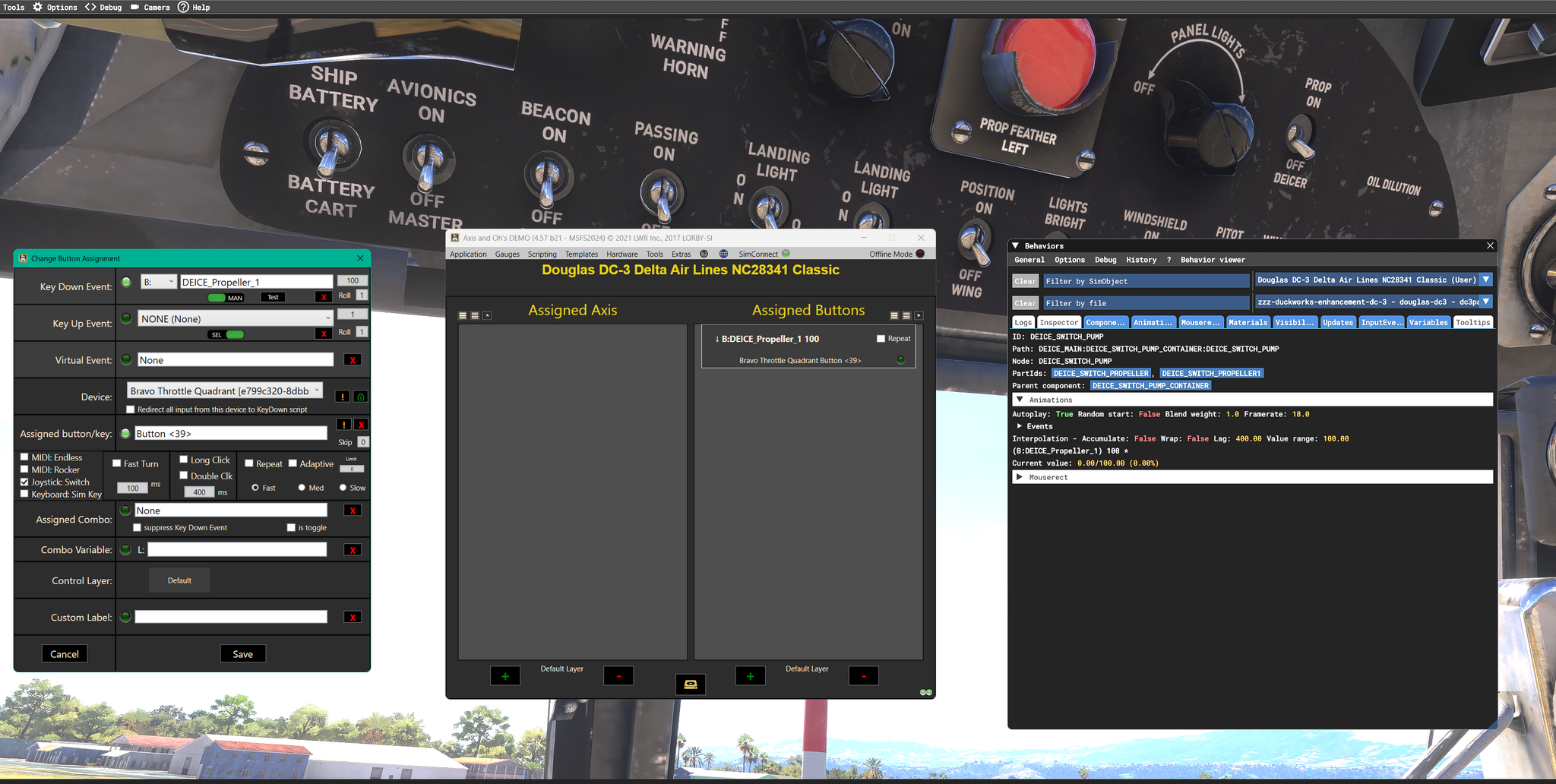
I put off buying any of the add on programs like LAAO because I felt they were beyond my capabilities to use. However, I finally bought LAAO, primarily to map switches on my Alpha and Bravo that I could not do with the in-sim mappings...and for that it's just perfect and I can do it. Now, however I have something I want to do that goes well beyond the previous. I want to be able to use my Alpha magneto switch, individually on each engine on a two or four engine propliner. I don't fly jets, just GA and the classic propliners (D-18, DC-3, DC-6 & L1049). On most of these it's a real trick to do the mag drop test using the mouse to flip a switch (or turn a knob) and then move the eyepoint to the RPM gauges and then back to the switch/knob. So, I thought if I could map the rotary switch on the Alpha to each engine individually, I would never have to take my eye off the RPM gauges. Well, I've been trying to do this for the last month and about the only thing I've accomplished is getting headaches. I've gone over the manual several times, watched the SimPit Foundry video's (he even gave me some hints...which I didn't understand) but not even close to understanding how to make this happen. I hate to use this excuse...but I think this old dog is just not able to learn new tricks. I really have no desire to learn scripts and the more advanced stuff that LAAO can do. So, I'm asking if anyone has done this on any of these aircraft would you please share your secret with me. If no one has, I would be willing to pay for someone to do it for me. Thanks for any help anyone can give. GarryThanks...got it. Looks like I need more reading of the manual. Just so you know, I purchased the full version but you almost lost me on the 20 min trial. It was getting very frustrated as I was referring to the manual while trying to figure out how to set up...and because I'm slow, my 20 minutes kept running out and hadn't remembered to save it. So would start over, forget to save and repeat. I think better to do what most other utilities do that have trials and such...give 2 or 5 days to get a feel for it. GarryJust new to any of this...always only used in Sim assignments before. I did go through the manual and looked at some of the video tutorials...so please excuse me if this seems a simple question. I first tried setting a switch (Prop Deice) using the B var listed in the 2024 Developers Behavior Menu (see screen shot). the AAO green light would show it was getting a signal but would not activate the switch. So, per the video, I went to the Select Simulator Event, MSFS IEs and found an event for this. When I used that it now works. After all that my question is will I always have to use the Select Simulator Event menu and never just able to enter the variable I get from the Sim? If I can use what I get from the sim please point me to where in the manual or a video I would get that. Thanks Garry
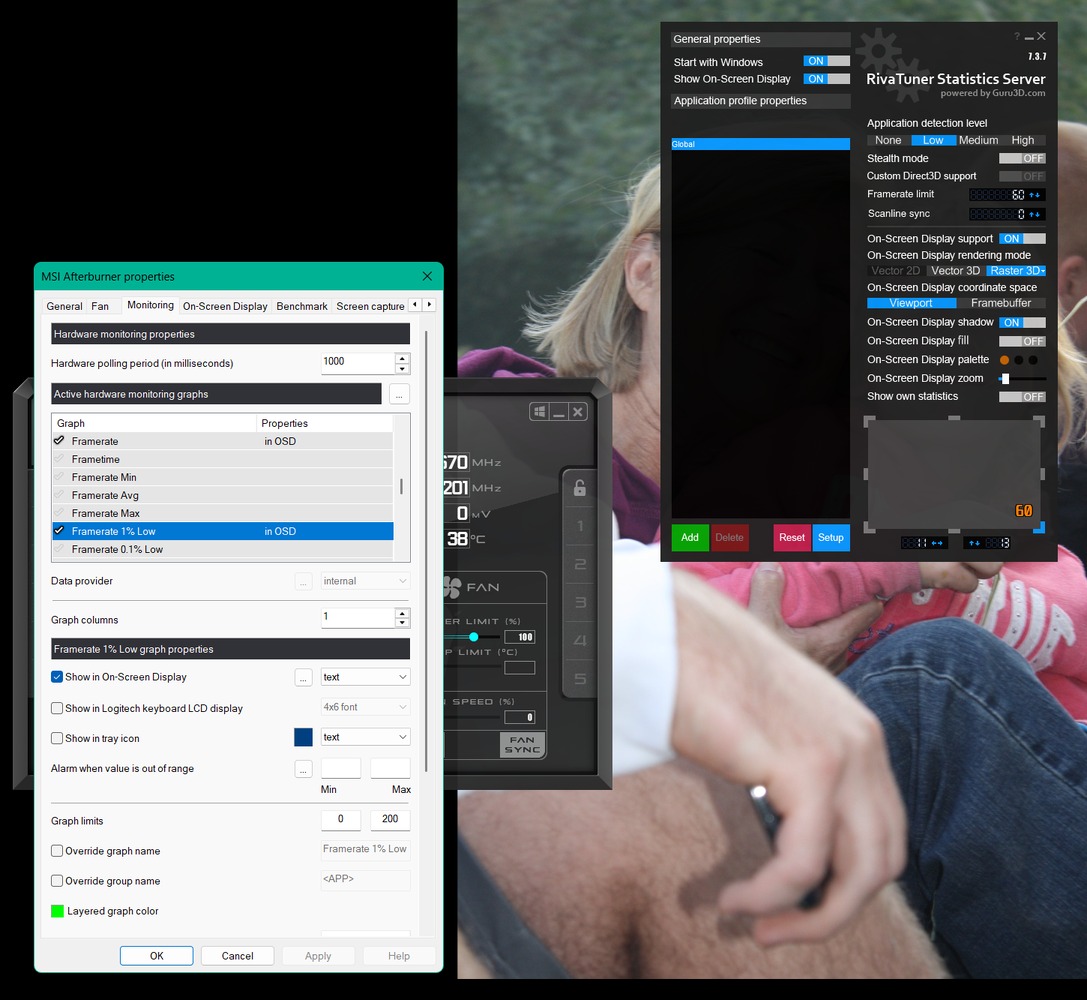
 That did it…thanks. I’ll watch for those studders.I have a second screen with MSFS2024 on the other screen.Have used MSI Afterburner with Rivo for years. Always tracked CPU usage & temp...GPU usage and temp and my FPS. Tried to add my 1% Framerate Low to be displayed...and it does not come up on the screen. Screenshot of my MSI Afterburner properties attached if that helps. Any ideas of what I need to do to get that to show on my screen. Using MSFS 2024. Thanks