


papabb
Members
-
Joined
-
Last visited
-
Got it Thanks very much Rick
-
I am a dummy-how do I sign up I am not dcurrently using teamspeak Rick
-
Real Air
-
Asanal: After you download REXE unzip it to a "new" folder You will see in that "new" folder the following files...... 7 Cab files, autorun.exe, dotnetfix.exe, rexess_20120510.msi and finally rexess_setup.exe Right click "rexess_setup.exe" and "run as Administrator" Rick
-
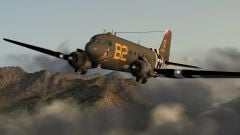 outstanding! Rick
 -
asanal... extract the REXE files to a seperate folder Right click on "REXESS_setup.exe" file and "run as administrator" if you are using W7 Rick
-
Excellent Video! Loved the American close up of the rain dripping off...... What was the sound track? Rick
-
No connect for me.... Rick
-
Have you thought about Just Flights FREE 757?Great aircraft....http://justflight.co...uct.asp?pid=880Rick
-
Tag: brownoak
-
Sorry,looked around the froum and did not seeRB
-
Here is a link to MS FLIGHT site and an interview with Joshua Howard,Lead for FLIGHT:https://news.microso...hua-howard.aspxRIck
-
Anyway we could have a Screenshot forum for FLIGHT.I have seen a lot of shots in indivvidual threads but in one area would be awsome!Just a thought.......Rick
-
You can download the manual at their web siteRick
-
OOPS-Thanks for setting me straight...... Rick
