


radikaltekno
Members
-
Joined
-
Last visited
Everything posted by radikaltekno
-
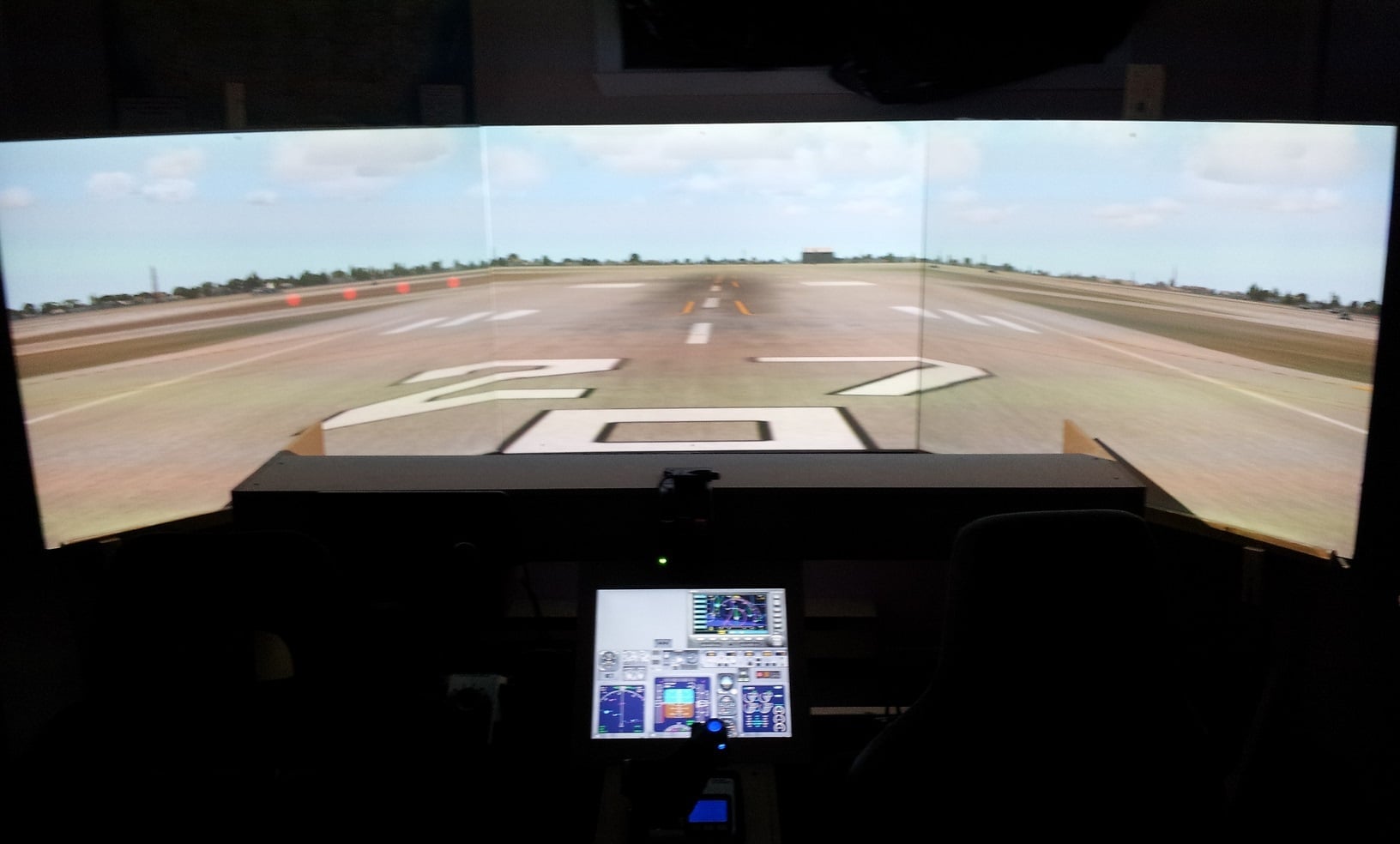
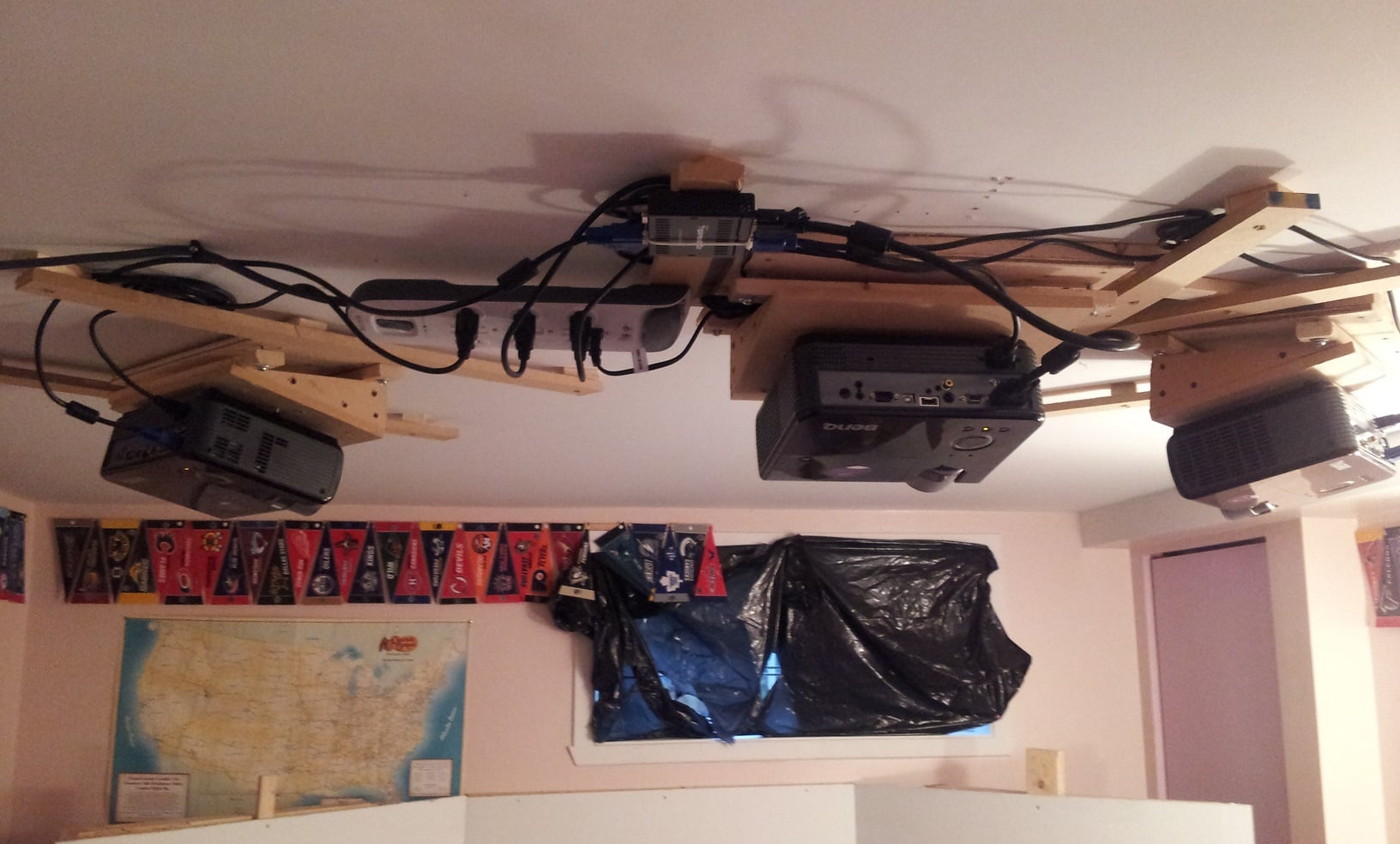
Hi, I have a 5 projector setup. I am using the first three with a Matrox Triplehead2go, total resolution 3840 x 1024. I put zoom at 1.00. This displays Front Left - Front - Front Right. Now for both sides, I am using computers and Wideview. So I am trying to lineup the left projector with the other projector it is next to. So basically I am trying to lineup a 1280 x 1024 projector to the left of my 3840 x 1024 setup. That projector will give me the left view. I have been toying for days trying to line it up, haven't succeeded.. Anyone can help? Thanks! Marc P
-
No but I already own my 5 projectors so that's no help to me... I just want to know if I should use an eyefinity to operate all projectors from 1 computer or use 2 computers over LAN
-
Yes, each screen is 4:3 ratio, 42 inch wide by 31.5 inch high, giving 52.5 inch screens... I can't wait to experience it with all 5 screens setup... just the 3 was already amazing.
-
Hi, I only own FSX right now and was in the process of doing this setup: - 5 projectors for scenery (180 degree view, 52 inch screens) - 1 screen for gauges running on these computers: -Comp 1 video output 1 = Front left, Front & Front right projectors with Triplehead2go -Comp 1 video output 2 = gauges -Comp 2 video outputs 1 & 2 = Left & right views, using WideView Now I am thinking of using Prepar3d instead but am wondering if I should use the same hardware setup, or get an Eyefinity video card. What do you guys recommend? I attached pics of early stages of my setup where only 3 of the 5 screens were setup. Thanks! Marc

-
I flew on Canadian Airlines ... that was in march 2001.. CYWG - CYUL. no clue what airplane that was.. I think an airbus
-
CAE is the leader of full flight simulators. They own the biggest share of the market to provide full flight simulators to airlines. They build multi-million dollar reproductions of cockpits on moving platforms with dome screens. What if they decided to use their expertise and already existing software to create a flight sim for the public. I mean, that is what they do, their business is flight simulators and they do it well. That would be great news if they realised there is a gap and chose to fill it... What's your thought on this? Would you welcome the news? What would it take for you to be happy about a new company getting in the consumer flight sim market? Marc P. CYUL
-
I say CAE should take this opportunity to expand into the consumer market. I mean they lead the market in "Real" flight simulators, so they have all the resources necessary to make a decent flight sim that could be available to us. Just sayin...
-
I am wondering the same thing. My guess is some C++ or XML programming with maybe some <Effects> or <Module> creation.... Can't wait for someone who's done one to answer... And i would love to see some sample code....
-
No one? Really? So people have a cool home cockpit setup for fs2004 and their AI traffic is not the same on the different screens? There has to be a program out there that synchs it....
-
Good morning.Wideview only supports AI traffic synchronisation for it's FSX version. Anyone know of a program that would to this for the FS 2004 version? I don't want to invest in a 8 screen, 4 computer setup if AI is not synchronised....Regards,MarcCYUL
-
Hi,Instant Scenery 2 is definitely my favorite.. as far as adding skyscrapers, you might need to design some using gmax first. Or use the limited amount of them within the library items that will show up using Instant Scenery...Marc
-
Good evening,My GMax started doing this 2 days ago. See image for error message... I uninstalled the gamepack fs2004, re-installed, and keep getting the message... it's as if it can't find the right path to the script...My fsx gamepack works fine, only the fs2004 is not working.I have separate startup icons depending which one i am designing for.If i design for fs2004, i start gmax with the gmax for fs2004 icon... so it loads the right startup script...Any help would be appreciatedMarc
-
Hi, what is the best program to make photoreal ground? I don't want a prog that downloads as you go.. i want to make it because i am getting good at modelling in gmax and want to place items exactly as they are in real life and eventually release the scenery.Thanks!Marc
-
Hi,I am trying to line up my different faces on the .BMP file on my GMAX polygon. Each time i drag an edge, as soon as i click to drag the next one, the previous one resets into it's original postion, this is real frustrating. Once in a while i am able to do it, but most of the time, they always reset themselve... What the %$^#% am I doing wrong???Frustrated Marc
-
Nobody?
-
Hi,If i want to do a large LOD 17 photoreal through SBuilderX. For example, it's around 500 tiles wide by 300 tiles long.How should i divide it so it runs best on computers? should i do many .bgl's of 20x20 tiles? of 40x40?Anyone with experience who has found that balance?Thanks!Marc
-
Hi,I own the Saitek Yoke, throttle quadrant and rudder pedals.I see many people instead of configuring their keys within FS, they configure them through FSUIPC.what is the difference?Thanks!Marc
-
Wow this works fantastic, so easy to make night scenery, now i'm on the quest to making it winter timer..... hope it's that easy ;)
-
How would setting a null value be more efficient than using black color? Isn't that like a default null value?
-
Hi,The island where i live is positioned geographically in a way that my mask i huge, so i wonder if i should divide it into a bunch of smaller regions not to have such a big portion to mask.As you can see the island is at 45 degrees pretty much, so i need to blank out a bunch of land. Would it be less demanding on the computers resources if i was to split it into 6 smaller regions, masking less area ? You can see below, The red square showing if i was to do it in 1 big chunk, the yellow would be how i would split it in 6 regions.Will splitting it in 6 regions be less demanding to the computer? Thanks!Marc
-
Hi,How would I go about creating a line type where the I define the object place. For example, I could put down a line in Sbuilderx along a highway, and it would place lightposts, spaced evenly, and lined up against the line.How do I create this, determine the spacing in between, heading of the objects in relation to the line, etc....Thanks!Marc
-
Hi all,KMCO has been covered by Cloud9 and they did a wonderful job.Anyone aware of companies developping KMIA or KTPA right now???I'm surprised there is no good KMIA payware out there already...Marc
-
Hi,This can also be done with a program called AirEd. You can download it on flightsim . com . File name is <air152up.zip>. See below how to use it and what to modify. You basically have to load the .air files of each of your AI models, and change the value on line 105 from 0 to 2. Make sure when you install AirEd, not to have the .air files associated with the program to open automatically, it is said to have bad consequences on fs2004 operation (I have noticed longer loading times when starting the game).It depends on what FS your using.For FS2004: You'll need the 'Aired' utility installed. Either will work. Install and run Aired and open the *.air file for the aircraft. Find line 105105 *Aircraft Type= 0 <--the aircraft is 'flyable' and in the select aircraft window105 *Aircraft Type=2 <--ai only, not in the select aircraft window.For FSX: just add a panel folder with a panel.cfg file. Can be any panel, doesn't have to 'match' the aircraft, in fact the panel.cfg can be an 'empty' file.Hope this helps!!Marc
-
Hi Alexandre,I really love your work, you make buildings in a quality I want to make myself. I have started using GMax and hope to do good scenery like that. Can you tell me how you take the building textures from Google earth and transfer them into Photoshop (if that is the prog you use. If not then which one?). So far I don't have too much trouble designing shapes in GMax, my trouble is textures, I suck at drawing to begin with, so drawing with a computer is a bit better but still not great.If you can also give texturing tips that would be awesome!MarcMontreal
-
Hi Yes I did compile with TTools. Here is an overview of what is what...In my CMPB\Scenery folder- CMBPFlatten.bgl compiled with SBuild and it works (see it affect the terrain in FS)- CMBPExclude.bgl compiled with SBuild and it works (see it clear terrian in FS)- CMBPGrass.bgl compiled with SBuild and it works (put grass as bottom layer and we see it in FS)- AF2_CMBP.bgl compiled with AFCAD and it works, I see the runways, apron, parking spots, taxiways etc.In my Scenery\World\Scenery folder:- TrafficCMBP.bgl compiled with TTools- In the airports.txt file, I used the same coordinates and altitude as in the properties menu in AFCAD.- I added the scenery folder CMBP in FS2004 so that's not the problem.- Made sure there were no spaces in my trafficl filename, it's trafficCMBP.bgl.- The airport is recognized in FS2004 as I can select it in the menu and start at any of the 3 runways i created or any of the gates.- In the aircraft.txt I have something like 65 aircraft from 4 airlines and all aircraft have proper parking codes ACA, AAH, AAY and AAL (I didn't want to do all 1555 planes at once and troubleshoot more possibilities)- In the flightplans.txt my flights corresponds to same AC# as in aircraft.txt-I know these planes work normally because for over a year now I have been flying with all 160 AI airlines that I installed. I have seen airplanes from all these airlines when I fly. I just wanted to create this airport to find the few airplanes where I might have made a mistake in the texture or something. I know there is no mistake in the spelling of the aircraft names between the aircraft.cfg and the aircraft.txt files as I copied and pasted them from the original working 160 AI Flightplans I had installed.- I even put one of each type of parking and did not assign any parking codes to them to see if a plane would magically appear but no luck.- I temporarily took out the other 160 AI flightplans not to confuse everything.- traffic030528.bgl has been removed long ago, it's one of the first files i remove when I install fs2004.I just don't get it. I installed 160 AI airlines, textures etc, they all worked. I try creating an airport and using these airplanes but they dont show up and every file is where it's supposed to be.I have tried going every possibility but ran out of ideas as to what it could be........Can't wait for someone to find the answer. I want to get this done and over with and have the peace of mind that all my installed aircraft is visible(I know one of my FedEx is installed wrong all i see is the wings and tail.)
