


jsscvtx
Members
-
Joined
-
Last visited
-
I was wondering the same thing as I noticed that last night as well. But if you look at the wipers going while looking at the exterior view they seem to go much higher than what you see on the inside view.
-
Yeah I am getting the same pop up window when starting FSX... Any advice as to whether we need to choose "yes" to update and if we do is this something we will have to pay for? John
-
Ditto!
-
There's the Angle of Attack 777 Training http://www.flyaoamedia.com/777-training/ John
-
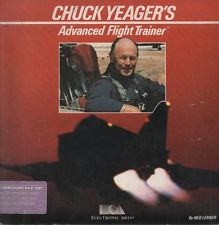
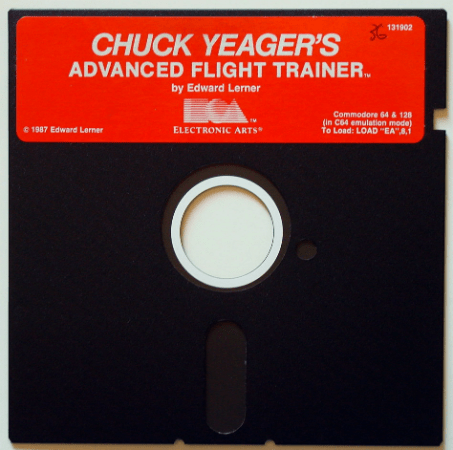
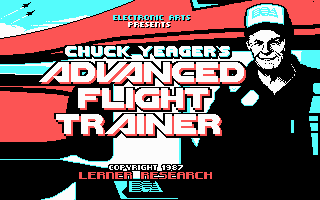
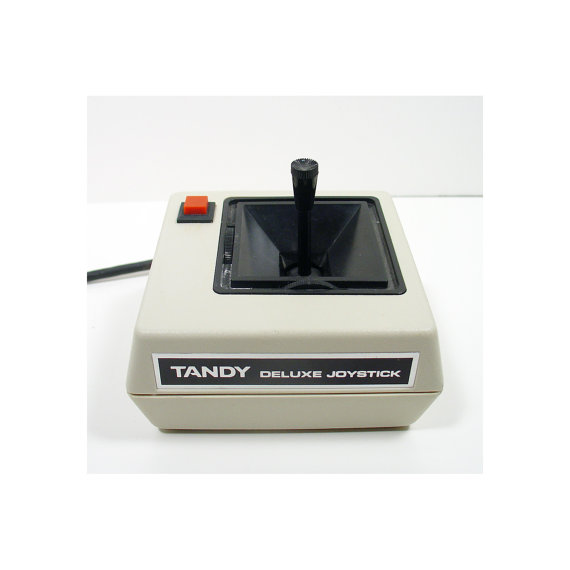
How about this one... This was my first flight simulator and joystick! The good old days! John
-
The only thing I have noticed was on a flight I made this morning that started at dawn. When I would turn on the cockpit flood lights while the taxi and or landing lights were on the ground would no longer be illuminated. But once I turned the cockpit flood lights back off the ground would again be illuminated by taxi and or landing lights. In the intro it mentions that "cockpit flood lights to function in the daytime... may cause visual artifacts due to the specifics of the lighting technique used" Not sure if this is one of the "artifacts" it could be referring and what Kyle had mentioned? I have yet to see if the same thing occurs during night.
-
Michael, Great thanks for the tip!
-
Kyle, WILCO! I've seen how busy you've been posting away... I wouldn't ask or expect anything more of you!!! Keep up the good work! Hotel Kilo... Out!
-
Yes I know it's not the NGX or J41 x3 and to read the intro x25 (POH) just like I do before I get in and fly any real plane I have never flown before :wink: That being said and knowing the real plane you simple hold it right or left to set it. I think "user friendly wise" simulating that same hold motion by using the "mouse wheel" would be easier. NOTE: I am not asking for it to spin or anything. Maybe just increasing the rate at which it changes settings, or having the option to use the "mouse wheel" instead??? I only tinkered with it for just a few minutes. Don't worry I'm not going to demand a refund and make a big stick! I just was curious and couldn't wait to get home to find out by reading the intro 25 times! :lol: Hotel Kilo John
-
Hello all new 777 Captains! Here's what I noticed when I set the either the Altimeter or Minimums. The big knobs that switch between "RADIO & BARO" and "IN & HPA" not a problem you right click or left click and it switches just fine. However, when I use the small knob on top to put in the Altimeter setting or set the Minimums. The knobs don't move at all when you scroll the mouse wheel. You have to right or left click like you do on the big knobs they sit on, and you only get 1 digit change at a time with each click which takes a long time. BUT... found that if you hold down either the right or left mouse button (depending on which way you need to go) and then drag the mouse courser down the screen at the same time it speeds up the rate at which it changes. My question is shouldn't be setup to use the "mouse wheel" to turn the small knobs right or left to change the Altimeter or Minimums settings??? IMPORTANT: No I have yet to read the manual I downloaded before work and just had to check it out... Damn if I wasn't two hours late to work! :lol: I have the NGX and the J41 and both of those are set to use the "mouse wheel" So has anyone else noticed this??? I apologize for not being able to check the OPS manual. I was going to download it at the office but there not available to download on the website. P.S. Hats off to the PMDG team for such an outstanding product. It's is worth every penny!!! :Applause: Hotel Kilo John
-
Done & Done! Thanks George!
-
I got a silly question. I'm running Windows 7 64bit and need to know, do I choose "Extract All" or "Run"??? I ask for three reasons: 1. I spend 95% of my time working on a Windows XP computer so not 100% up to speed on 7. 2. When you click open on the installer it says "This application may depend on other compressed files in this folder" and then "For the application to run properly, it is recommended that you first extract all files" followed by the two option I am asking about. 3. Most importantly I don't want the "Defecation to hit the ventilation" and get a bad install by choosing the wrong one. Hotel Kilo Out! P.S. Thanks & sorry for the silly question! John
-
Below is an interesting link I found about VNAV. It is a NASA report from 12/1/2000. It's a pretty interesting read, and after skimming a bit of it seems the report is about it's difficultly of use for a pilot, the flaws from an engineering standpoint, and how or what could make it better. Again I have just skimmed it, so my brief summary above is just what I picked up from skimming. Here's the link. A Cognitive Engineering Analysis of The Vertical Navigation (VNAV) Function http://human-factors.arc.nasa.gov/publications/20051025130903_VNAVCogEngJournal1TM.pdf John
-
That is a good question and when I think about this from time to time I am on the fence about this 50/50. However, my personally belief is that with the advances in technology I lean toward future PMDG (and for that matter other developer add-on) products being more system friendly, giving us more detailed products which are more FPS friendly and run on our current to date systems. However, FSX is the only gremlin that could/would put a damper on this. Which if that is the case, I don't think it would be a far stretch to say someone could at some point produce a product to fix FSX's faults and allow for a more user friendly platform for future add-on's. I think Ryan may have a better grasp on answering this question since he is involved in the day to day operations of add-on development. Or maybe I'm just crazy! John
-
This is out of the FAR/AIM from the AIM section. It is only a recommended SOP from the FAA and remember each airline has its own SOP requirements that may differ from the FAA's recommendation. I have highlighted in bold the areas recommended use. AIM: 4-3-23. Use of Aircraft Lights c. The FAA has a voluntary pilot safety program, Operation Lights On, to enhance the see-and-avoid concept. Pilots are encouraged to turn on their landing lights during takeoff; i.e., either after takeoff clearance has been received or when beginning takeoff roll. Pilots are further encouraged to turn on their landing lights when operating below 10,000 feet, day or night, especially when operating within 10 miles of any airport, or in conditions of reduced visibility and in areas where flocks of birds may be expected, i.e., coastal areas, lake areas, around refuse dumps, etc. Although turning on aircraft lights does enhance the see-and-avoid concept, pilots should not become complacent about keeping a sharp lookout for other aircraft. Not all aircraft are equipped with lights and some pilots may not have their lights turned on. Aircraft manufacturer's recommendations for operation of landing lights and electrical systems should be observed. http://www.faa.gov/a...aim0403.html.23 John
