


Labrador315
Members
-
Joined
-
Last visited
Everything posted by Labrador315
-
Windows 8.1 works just fine with FSX. Adding the Windows Vista vintage UIAutomationCore.dll to your main FSX folder seems to be a requirement however. The only items I've noticed with some issues are Reality XP FLT and FLN gauges.
-
Installed FS2004 on a new computer with Windows 8.1 and it works just fine. The only oddity noted was with Reality XP FLT and FLN gauges. They function well, but cause very short freeze-ups from time to time.
-
Labrador315 replied to Ron Attwood's topic in The Paint Shop - The Aircraft Painter's Forum - How ToNice attention to lots of little details in that paint job Ron. Screwed up with the files and things required for a RealAir Duke repaint? What could possibly go wrong?! :lol:
-
Incorrect files were included in the 'B60_V2_N993CA.zip'. 'RASDuke_VC5.dds' and 'RASDuke_VC5_Spec.dds' changed the panel screw heads to matte black, but other panel parts were corrupted in the process. Murphy's Law wins again! I suggest removing those two dds files from 'Texture.N993CA' and letting the originals in 'Texture.Panel_Grey' get called up. If corrected versions with black screws are desired, contact the author at the address in the N993CA readme. My apologies to all for this. Wayne S
-
Yep. Normally.... ^_^ Look at picture from January 2006 of red and white N20CG on airliners.net.
-
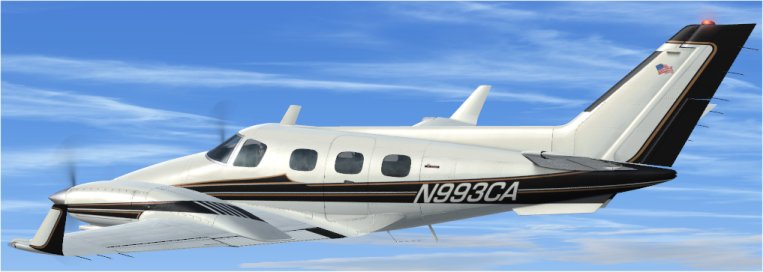
For anyone still following this thread now that it has been banished to the hinterland by The BOT, the repaint of Duke V2 N993CA has been sent to the library.
-
Almost done. Funny how the flag has attracted attention. A Turbine Duke repaint a few years back [N20CG] had a backwards Stars and Stripes on one side of the tail [as per the real aircraft], and nary a peep was heard. Thanks to everyone for the kind words.
-
N993CA was a 'curiosity' mod of my Duke V2 C-GRJE, both intended for my own use. However as there seems to be an interest in this repaint, I'll do some more tinkering then release it. Black prop blades, a canted Old Glory, white inside winglets and a couple other minor things need to be done, as per Ryan's photos above. Ryan pointed out a fault with the panel at night as well. I'm not really happy with the N993CA lettering but this is the compromise I went with - so far.... An e-mail to Sean at RealAir asking if white/clear rotating beacons are possible on the Duke V2 is awaiting a response.
-
Looks good! Thank you.
-
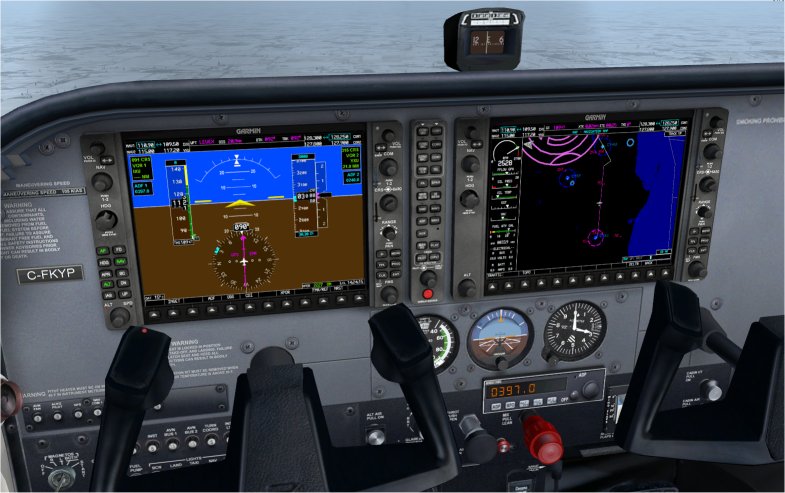
Thanks to the enhanced G1000 from SCUMARI Tec [enhanced_garmin_g1000.zip] and the C172 panel rar file on their website, the default C172 G1000 panel has been improved. A G700-like autopilot on the G1000 means the panel AP can be replaced by an ADF. A Reality XP GNS530 is ‘driving things’ in the background in the attached picture. Thank you Rick!
-
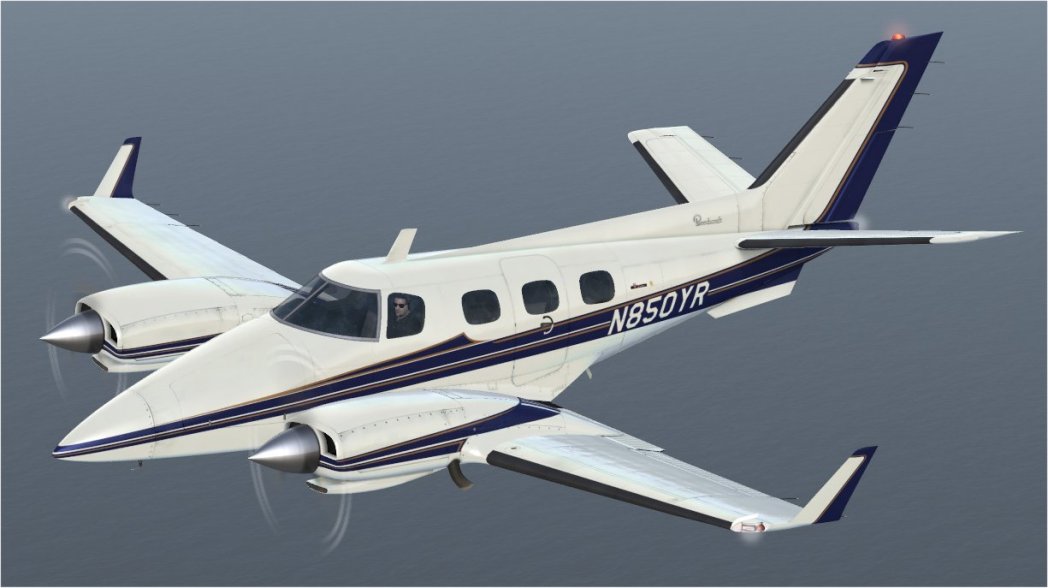
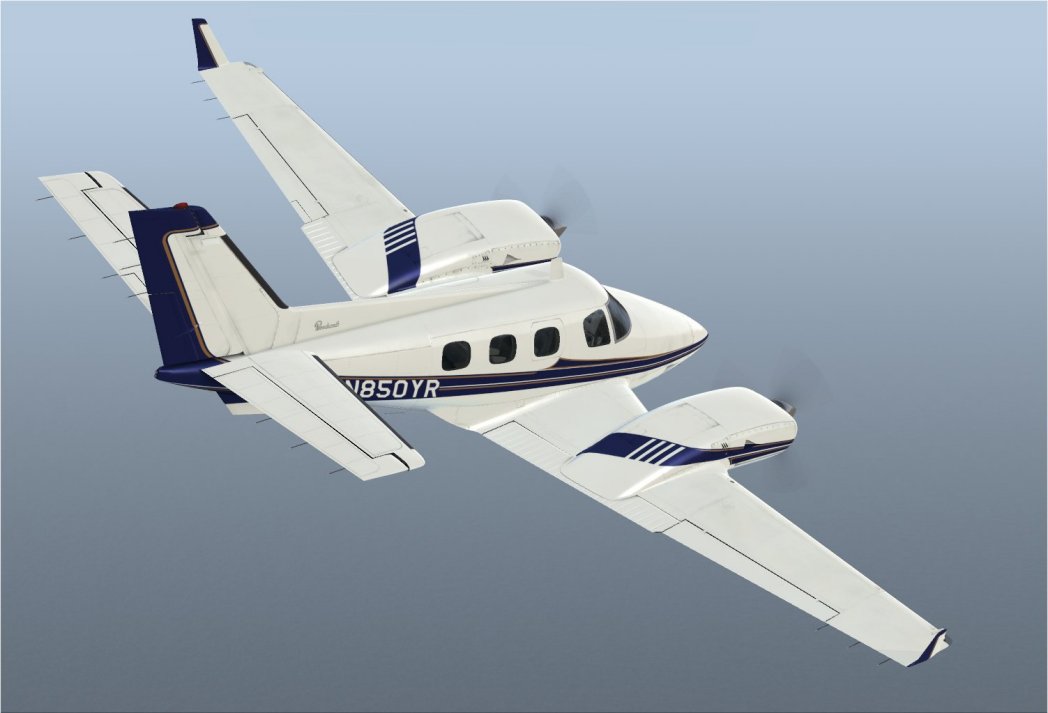
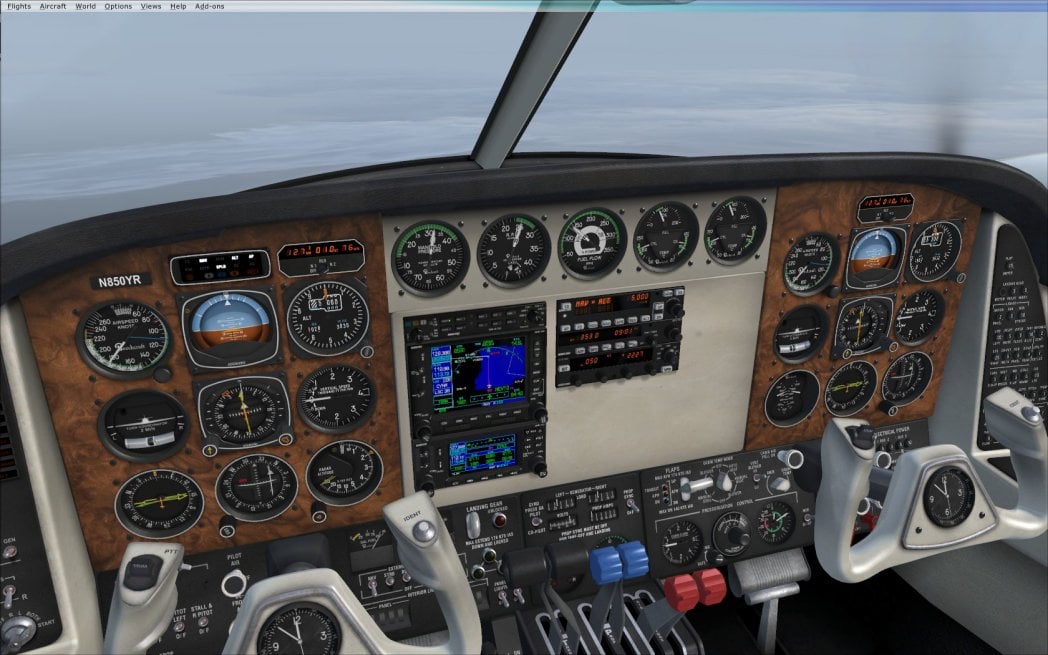
Nearing completion is a repaint based on RealAir’s N1873K and walnut panel files to recreate 1982 Beech Duke N850YR. That aircraft was featured in an AOPA Pilot magazine article published in 1983.
-
Not a G Reg, but one for a day when you're bored, Ron. http://4.bp.blogspot.com/-a7njDX_9RVU/UXmdlPRWC2I/AAAAAAAAHhE/z1x31qaE7x8/s1600/APFN1644WrampLGB.JPG
-
See here: http://fsxtimes.wordpress.com/2011/11/02/123-disable-wing-leveler/
-
Great minds think alike...! I experimented with putting screw heads on the white panel to go with the recently released N537MG repaint, but decided 'it didn't look quite right'. Can't really put a finger on 'why' though. Yours looks great however!
-
The repaint of fictional callsign N537MG is an update to my N20CG.zip released in January 2012. Fictional Canadian callsign C-FMTC is included as an alternate. Changes include 'new' de-icing boots, wing fuel caps, engine vents, and wing ice inspection lights. Enjoy the flight WS
-
Labrador315 replied to Ron Attwood's topic in The Paint Shop - The Aircraft Painter's Forum - How ToA fabulous job on this one Ron. The colours, lines and those 'sporting-to-paint' engine nacelles are beautifully done! Thank you Wayne
-
Check 'panel=' in the aircraft.cfg to ensure it is pointing to a panel folder. I had to add "A" (panel=A). Believe that is an OZx mod.
-
A reply to this thread - better late than never I suppose! Here is a way to get the NAV 1 morse code idents to work with the RXP GNS 530 in the Turbine Duke: 1. Copy the whole [Window 01] radio stack section from the default C172\ Panel ‘panel.cfg’. 2. Open the RealAir Duke Turbine\Panel ‘panel.cfg’ – after making and storing a backup copy. 3. Paste the [Window 01] radio stack section under the other [Window xx] entries. 4. Renumber [Window 01] to the next available number. I used [Window 05]. 5. Add an entry to ‘Window Titles’ at the top of the cfg file: Window05=Radio Stack 6. Save. 7. Start FSX and the Turbine Duke, VC cockpit view. 8. Activate the new popup (ie. Window05 = <Shift + 6>) 9. Cycle ON then OFF the NAV1 audio button (and NAV2 if there is another GNS installed). 10. Do not close the popup, but cycle through the views (<S>) back to the VC cockpit. The NAV 1 ident button will now function as it should.
-
Reality XP GNS 530 does not work too well in the default 172 panel due to unremovable '3D' knobs.
-
There is no apparent positive or negative impact on FPS - my observation. Have noticed some shimmering of the ball in the RXP STEC 30 Turn and Slip gauge but everything else looks great - again, based on my observation! Go to the Reality XP web page Flightline T Product Overview - Features - Compare tab for a demo of the huge differences between RXP and default gauge action. Strangely, RXP gauges in the FS2002 Dreamfleet Cardinal panel are noticeably smoother in FSX than they are in FS2004!
-
Reality XP gauges have very smooth and fluid movement - much more realistic. This is especially noticeable in a turn. They function exactly the same. RXP provides options if you wish to use a different version of the gauge. You could install a black and blue AI instead of the brown and blue Cessna one for example. As mentioned in the previous post, a rotating compass card RMI can easily be substituted in for the fixed card ADF. No noticeable FPS impact. Set up is simple and explained in the instructions that come with the gauges. The default Mooney panel can be automatically configured with RXP gauges when they are being installed on your computer. For all other panels, swap out the default gauge for the RXP one. Minor positioning adjustments are sometimes required to move the RXP gauge up or down, right or left however. Here are applicable bits of the C172 VC sections in the panel.cfg file for the panel pictured above: [VCockpit01] gauge01=rxpFLN!VOR1, 259, 1,140,140 gauge03=rxpFLN!RMI, 259,283,145,145 gauge11=rxpFLN!VOR2, 259,142,140,140 [VCockpit02] gauge00=rxpFLT!Gyro, 0, 0,163,162 gauge01=rxpFLT!TurnCoordinator, 164, 0,158,158 gauge02=rxpFLT!Attitude, 323, 0,158,158 gauge03=rxpFLT!Altimeter, 0,163,158,156 gauge04=rxpFLT!Airspeed, 164,159,155,155 gauge05=rxpFLT!VerticalSpeed, 323,159,156,157
-
The FLT and FLN gauges work very well in the VC [in FSX and FS9] and significantly improve the instrument panel in aircraft such as the default Cessna 172. If a fixed card ADF is too demanding for you, replace it with an RMI! The Dreamfleet Baron panel is another one that benefits from installation of the RXP gauges.
-
An interesting observation. Took the Duke up for timed turns on autopilot, and, by jove, it does what is stated above. You can get the correct rate one turn timing by increasing the 'max_bank=' under [autopilot] in the 'aircraft cfg'. Change it from '25' to '30'. [Make a back up of 'aircraft.cfg' first!] This is just an observation and not a fully tested or validated adjustment. There could be some 'unintended consequences'! It feels like a steep turn, but resolves the timing problem.
-
Yes, but on the right channel. Found a click in 'DukeAmbience_R'.
-
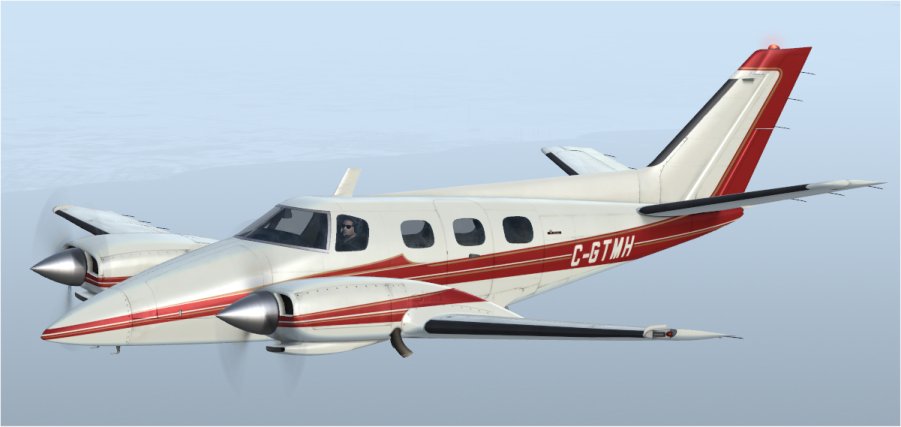
A Duke and a Turbine Duke with white/grey interior and white rotating beacons. Sent to the library.
