


raymar
Members
-
Joined
-
Last visited
-
Aerostar, Maybe someone will step up and make this for you. Thanks to Jan Boe I am no longer making repaints for the community. Regards, Ray
-
Wrong. They changed the scenery view significantly. I have FSX/P3D+Global and the DTG looks nothing like the FSX/P3D scenery. The DTG has a bluish tint and the distance (LOD) view is very restrained. All I get is a fuzzy image at about 5 miles or less. AFAIK this is not user adjustable. I use the Saitek X-52 PRO flight stick and I have elevator trim and flaps down and all the other buttons and switches are now useless. I can't find any method of adding to the controls/buttons. I really miss the F9/F11 views that I use the X-52 buttons to switch back and forth. No dice with the DTG. EDIT: I just read Fr. Bill's post so there is hope for assigning the buttons/controls. Yeah. Thanks Fr. Bill. Regards, Ray
-
Thanks. Got it running now. Scenery is most disappointing. Regards, Ray
-
Well, I got the 10 GBs downloaded and tried to run it and got this error: Can't start because MSVCP140.dll is missing from your computer. Try reinstalling to fix. duh. Try to download 10GB again and try? Anyone else get this error? Regards, Ray
-
What does the Fuel Flow gauge read when you are cruise settings? Regards, Ray
-
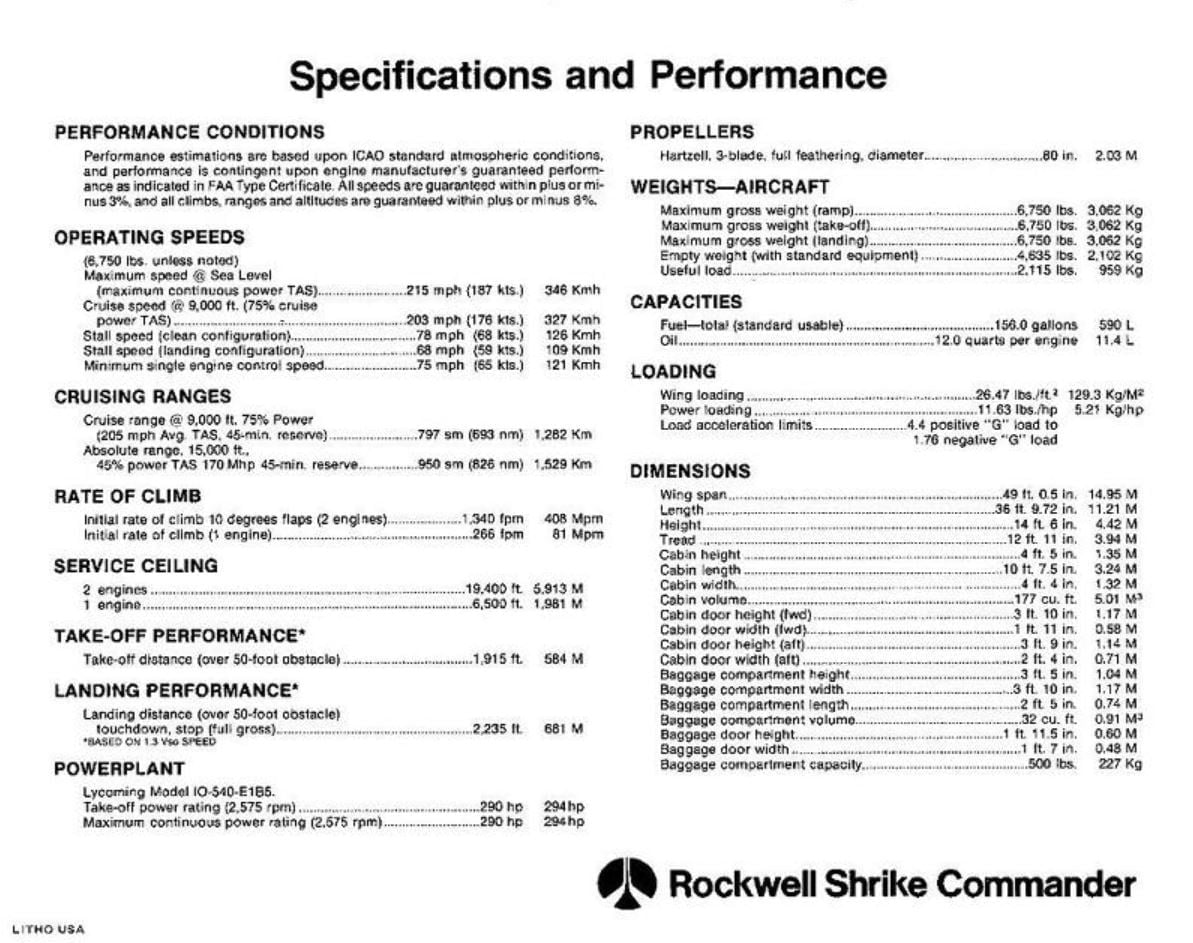
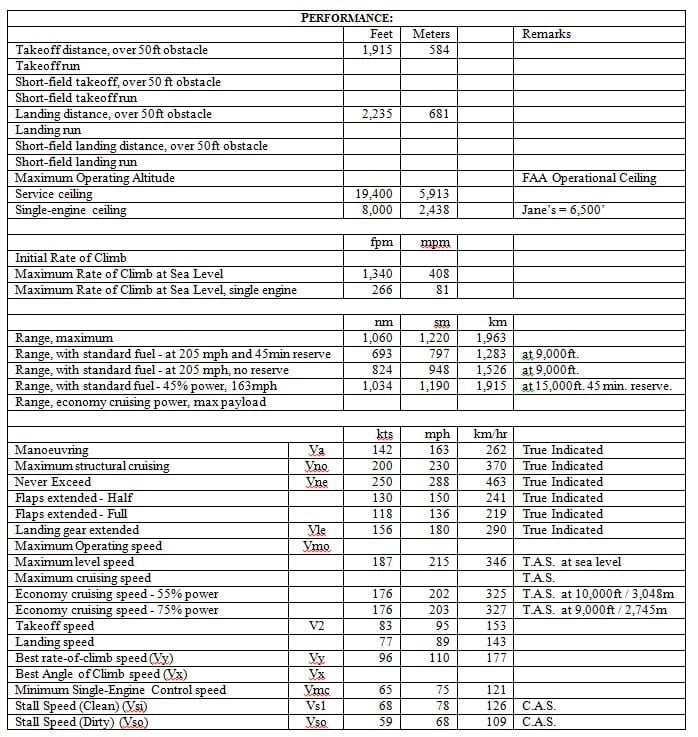
Something between 200 mph and 215 mph should be achievable - TAS. Most performance speed numbers are at 8,000 feet 59 deg F. Normal cruise is 203 mph at 75% power (28 gph). Regards, Ray
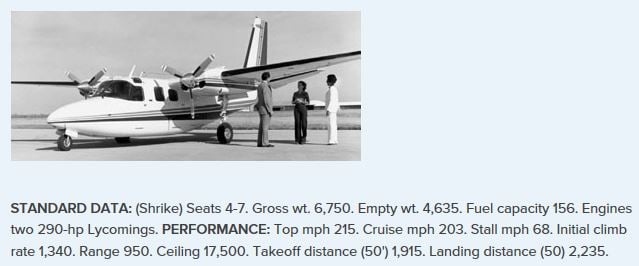
-
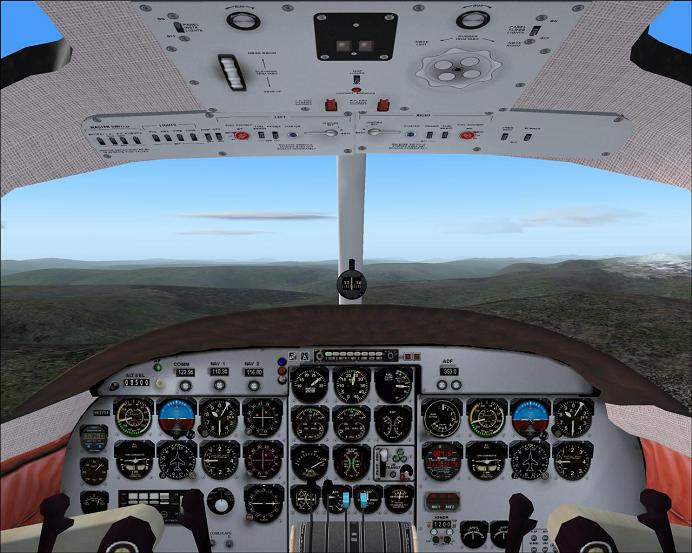
Here is what a 'clean panel' looks like in the Shrike. Regards, Ray
-
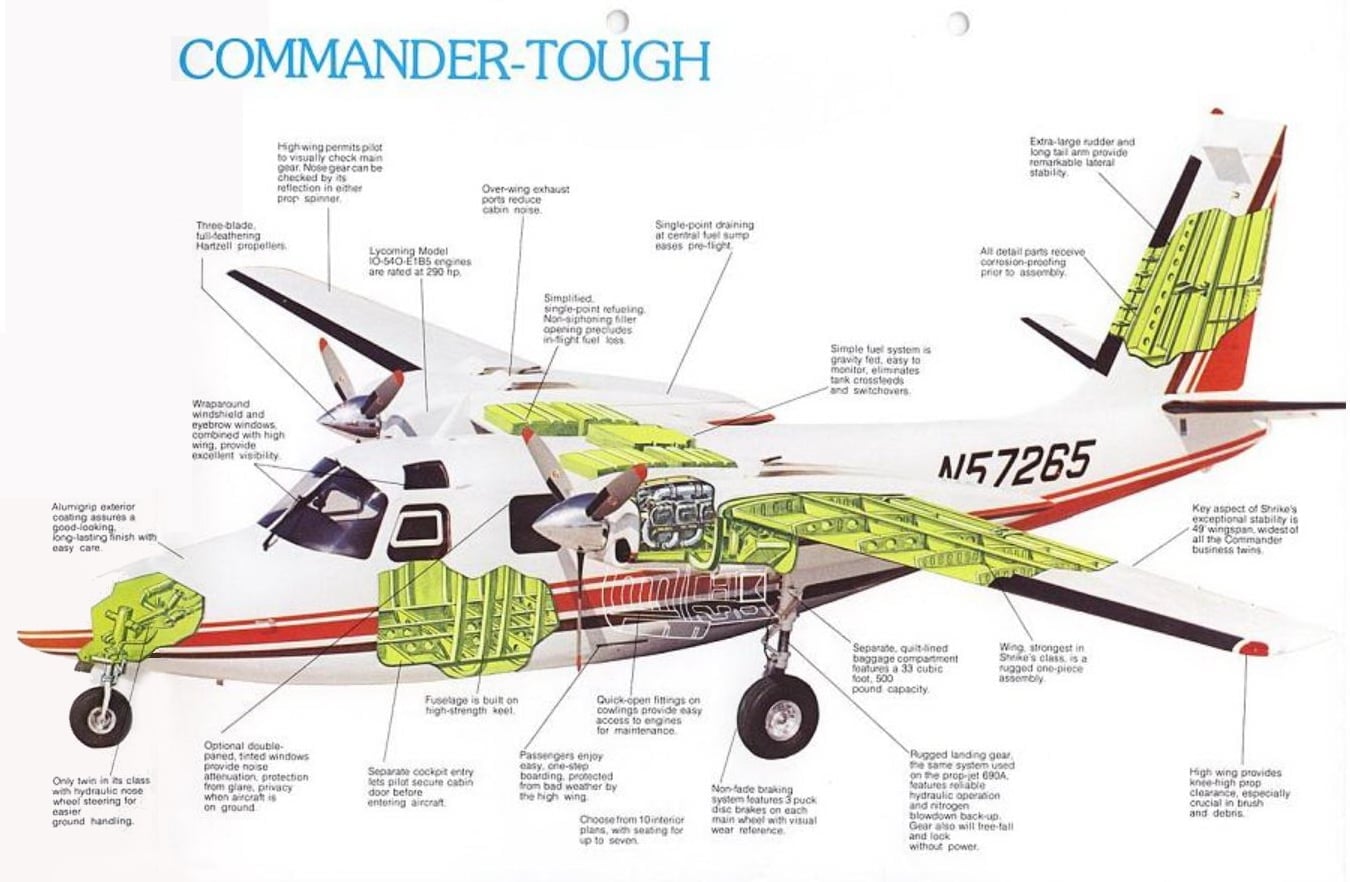
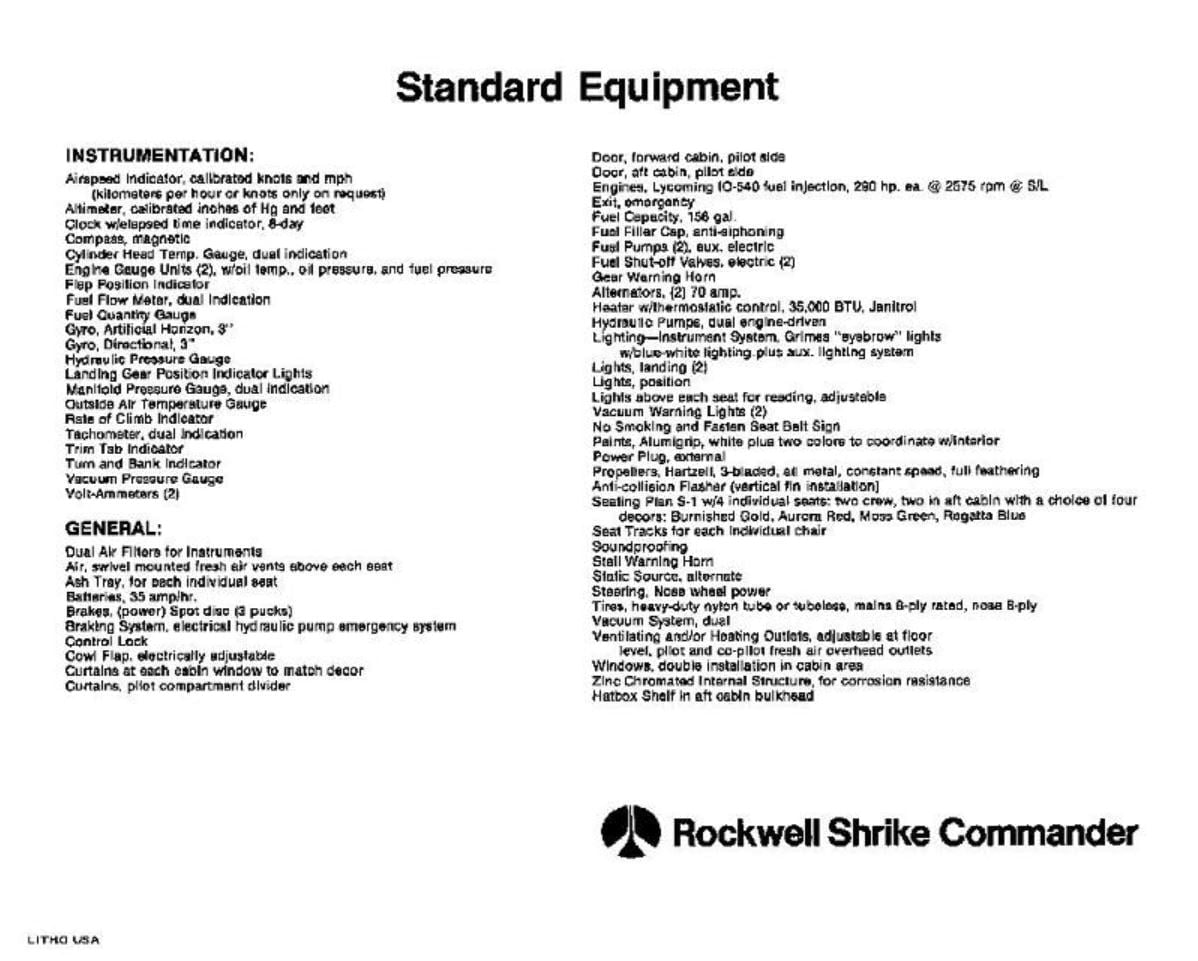
This is from a 1976 Rockwell Shrike Commander sales brochure. Regards, Ray
-
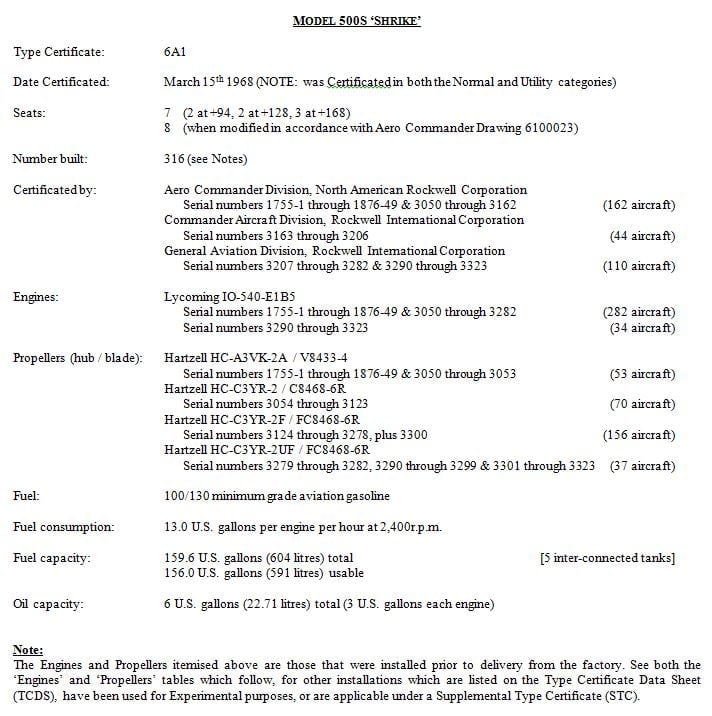
Here is the official Shrike description and performance data. Regards, Ray

-
All I know it that it is very difficult, almost impossible, to paint simple straight lines down the side of a Carenado/Alabeo fuselage or adding something that should be simple like a registration number to an engine nacelle or on the vertical tail is worse than a root canal. Regards, Ray
-
Okay, I have sent the request to have D-IRMA removed from the library files. Maybe everyone will treat this mangled tail stripes copy as a beta release. There will not be any follow on copies added back to the library. Best Regards, Ray
-
No idea. But, that is why you see so few Carenado repaints. I asked the head dude at Carenado about it and all I remember from his response was the 'Painter' gets more bang for the buck doing it this way and can use 4096 textures with less impact on the FPS when he only uses 2 sheets, or something along those lines. You got to admit the Caenado/Alabeo models are the envy of the community. Ray
-
Oh, and to make sure no one else has to suffer with the mangled tail stripes I will be asking the Avsim Librarian to remove this one from the download library. Regards, Ray
-
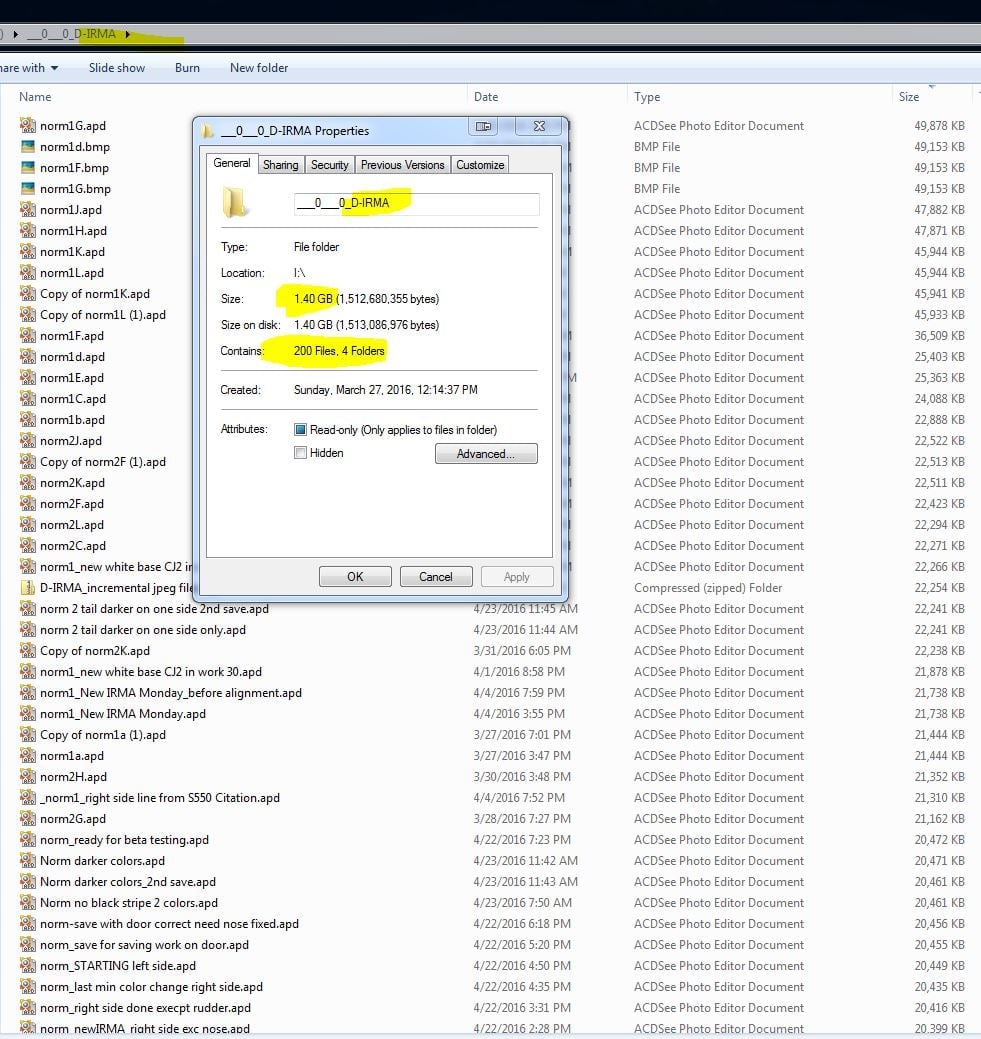
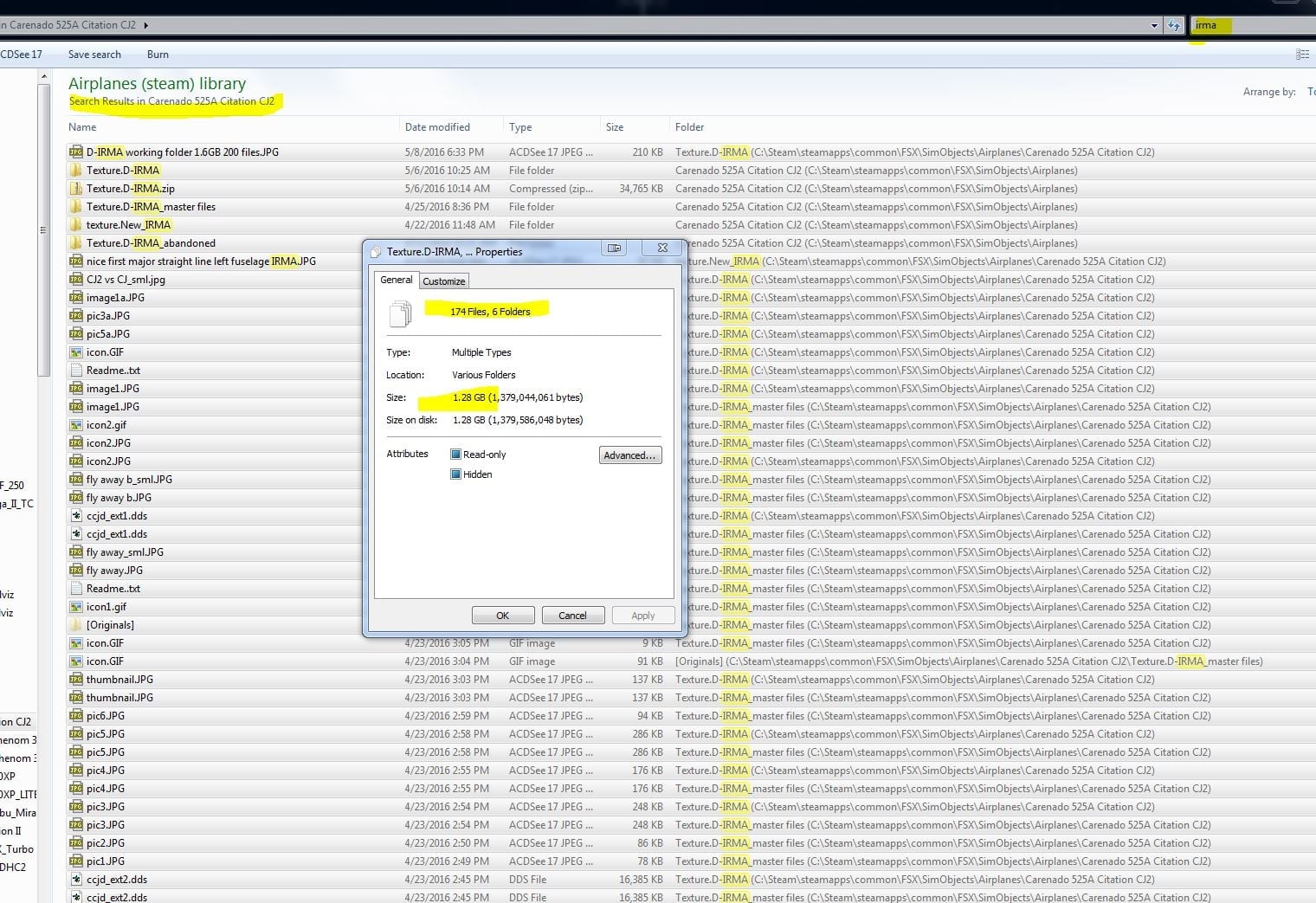
Thanks Jan, Yes, you did hit a raw nerve and the wink didn't help very much. I also added a wink to my reply. But, then I decided I would show you what was actually involved in preparing just this one D-IRMA repaint. Sure, the real repainters know how to create their own paint kit when the developer does not provide one, as in the Carenado and Alabeo models. To date not one has stepped up with a workable paint kit so it is up to us amateurs to stumble through the flipping, twisting, turning, mirroring and then the alpha sheets and bump maps and spec sheets, and on and on. It is one thing to delete the color from the bottom of a Carenado model or to copy the tail of one to the tail of another, but it is totally a different ball game to create a repaint from scratch, especially with straight lines or stripes along the fuselage. There are four or five individual pieces that have to match perfectly and they are not adjacent to each other and the door is flipped and mirrored with a slight twist and all the noses have some distortion in the models. The vertical tail alone has three non-matching pieces for each side, left and right, and you can't just flip one over to the other side. The rudder and the rudder trim do not align with each other and they are in separate files from the vertical stabilizer. I took a look at my effort for the D-IRMA repaint and I have two major folders for my working documents. Most are very large files but a majority of the jpegs and incremental work files total 200 flles and use 1.40 GB of data. The actual texture files used to test the flight models is another 174 files and an additional 1.28 GB of data. This repaint took me about 6 weeks of fairly steady work, some days up to 8 hours a day, when I was on a roll. So you may have a better feel for why your little gig pushed me over the edge. Who knows, maybe it was a good thing. Some time in the future, I might make some custom repaints for special requests - for those that truly appreciate the time and effort required for some of these simple looking paint schemes, but you can bet your last German Mark or Euro that I will not be putting them up for free downloads. Best Regards, Ray
-
Please complete the attached form for a full refund. Ray Much more than you know, Jan. But, because I was doing these difficult repaints only because no one else would even attempt them and it is certainly not enjoyable work, you have convinced me there is no positive payback for my feeble efforts. Thanks to you I am officially retiring from contributing any more free repaints to the community. I will stick with writing reviews, which is more rewarding to me. Best Regards, Ray


