June 10, 201412 yr Well guys all I can say is WOW the 300ER looks absolutely DREAMY Would it be possible to request a preview of the Emirates livery ? Excuse me if its already been posted . Great work guys , Cant wait to fly this beauty Dave Sullivan Dave Sullivan
June 10, 201412 yr Throw me down for Air Canada and Cathay Pacific, by the way lookin good beta team, u guys been workin out. Paul Dhanjal CYEG
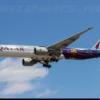
June 10, 201412 yr Smaug would be a nice sight Although I would like to keep the surprise of awesomeness for when I roll the 300 into my hangar
June 11, 201412 yr Commercial Member Smaug would be a nice sight Smaug was already posted by Aleksi in the Taxi Cam preview thread. Kyle Rodgers
June 11, 201412 yr Smaug was already posted by Aleksi in the Taxi Cam preview thread. Sweet. Thanks for the HU!
June 11, 201412 yr Smaug, emirates, emirates 1000th boeing 777 delivered, TAAG, are in the PMDG list in the release Jason Cardeira
June 11, 201412 yr Commercial Member Here's a few of them. I didn't hit most of the ones posted here, but some of them are there: http://forum.avsim.net/topic/444128-beta-team-request/#entry3007229 Kyle Rodgers


Create an account or sign in to comment