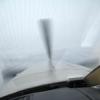
November 13, 201114 yr Doing a little ferry job with a Cessna T210 from the midwest United States to Alaska... here are a few shots from along the way.On final at Drayton Valley Airport (CER3), a beautiful little spot in western Alberta.Enroute from Drayton Valley to Prince George, BC comfortable at 20,000. Joseph Chamberlain FAA ADX
November 13, 201114 yr Images can be no larger than 200K bytes large Party pooper. Excellent shots, it looks really cold where you're flying! Is the first one from inside the sim? Danny
November 13, 201114 yr Party pooper. I agree, but a forum where noone adhere's to the rules (which is happening more and more) soon dies ..... and as this is my virtual front room I am not about to let that happen. My FS Videos
November 13, 201114 yr Images can be no larger than 200K bytes large Yes, the pictures are indeed very nice, but please stick to this rule next time. Thanks. :( Best regards, Steffen Fight time: NGX 737-700: 37,0h; -800: 47,2h
November 15, 201114 yr Commercial Member Well done.....Keep em coming.LOL. Ed, I have to agree with you on that one....this is one playground that has to uphold its rules and regs. KROSWYND a.k.a KILO_WHISKEYMajestic Software Development/Support Sys 1: AMD 7950X3D, NOCTUA D15S, Gigabyte Elite B650, MSI 4090, 64Gb Ram, Corsair 850 Power Supply, 2x2TB M.2 Samsung 980s, 1x4TB WDD M.2, 6xNoctua 120mm case fans, LG C2 55" OLED running at 120Hz for the monitor, Win11. Sys 2: i7 8700k, MSI GAMING MBoard, 32Gigs RAM, MSI 4070Ti & EVGA 1080Ti. Hardware: Brunner CLS-E-NG Yoke, Fulcrum One yoke, TM TPR Rudder Pedals, Yoko TQ6+ NEO, StreamDeck, Tobii Eye Tracker, Virpil VPC MongoosT-50CM3 Base with a TM gripSIMULATORS: MSFS2020/XP12/P3D v5.4 & v6: YouTube Videos
November 17, 201114 yr Author Sorry about that, I was thinking that meant for images attached and not simply linked via an outside host... it is a shame I cannot edit the original post as I have resized the images to the proper <200kb limit.Ah well, next time I shall remember and thanks for the great comments everyone! Joseph Chamberlain FAA ADX
November 18, 201114 yr Author Nice shots! I would like to get your full route, if possible. Thanks Sure thing, PM Sent! Joseph Chamberlain FAA ADX
November 18, 201114 yr You can certainly feel the cold here. Very atmopsheric. Tristan Living in the beautiful Chilterns. FS System: intel e8600 core 2 duo cpu, asus p5q deluxe motherboard, 4gb ddr2 1066 corsair memory thermaltake 750w power supply, palit 9800gtx+ 512mb graphics card, 750gb sata2 hard drive, 500gb sata2 hard drive, coolermaster v8 cpu cooler, antec 900 case, xp pro 32 bit, creative xfi titanium sound card, 22x dvd/rw. Still sticking and rocking with FS9. "When once you have tasted flight, you will forever walk the earth with your eyes turned skyward, for there you have been, and there you will always long to return."
November 19, 201114 yr wow, the background color of the first shot looks superb, reminds me of christmas :( RoyalSkies.CO.UK Youtube Vidz !My website will be back soon with new paints and videos! "I love walking in the rain cause no one can see my crying" "Those who enter the field for the sole purpose of impressing others with their aeronautical knowledge can never be true aviators."


Create an account or sign in to comment