


fppilot
Lifetime
-
Joined
-
Last visited
Everything posted by fppilot
-
Looking at the release notes and flying twice today all I can say is: Yawn! Why not address the long stemming weaknesses? Weather, Weather Textures, ATC, realistic pilot performance grading, etc. subLogic with its Flight Assignment:ATP simulator, released in 1991, had all of those......
-
So they have really upped their game? They were passed by quite a number of developers in the GA category.
-
Yes.
-
I am a new user and so far highly enthused. But today, as I was planning on practicing an RVAV (GPS) approach with it (BATC). Some elements kept me busy and it was several minutes before I realized I had been cleared for a visual approach. I requested a change to the approach. Then I was vectored over 30 nm past the IAF with no contact before I threw in the towel and shut BATC down. I need to research how to cancel a clearance. The only Action I seemed to have available was "radio check". The issue had me distracted from seeking that option in BATC. Flying the Hjet which has an intimate interior. My pax were a bit anxiious... That be what it was today, the other flights I have made with BATC have me much enthusiastic.
-
Guys. Thank you for waking up this topic. It woke me up. I sprung for BATC last weekend and am enjoying it. Best ATC experience since the days of subLogic's Flight Assignment:ATP in the 1990's. And the ATC in that sim was built in, i.e. native.
-
We've gotten answers for several years now.....
-
I have it working now. However I do not fully understand your question. I start Auto FPS as a start alone application. I use Addons Linker solely to autoload it. Auto FPS has not been and never has been positioned in my Addons Linker other than the autostart, which has loaded it flawlessly since the first day I began using the AL autostart. After each update I test AutoFPS by starting it from a Windows shortcut. Just to see if it loads successfully. No sim, no addons linker. When I was having the issue was immediatly after installation attempts, starting from the desktop. AutoFPS could not locate a module it was looking for in my Community folder. That likely happened as I use a custom Community folder location and it appeared AutoFPS did not agree. I made several attempts to erase the tracks, each time allowing the installation to pick the default location. After perhaps five attempts it uptimately overcame the issue. Again I have it working fine, Widget included. Thank you for your skill in developing this and your endless efforts to support us.
-
Indeed this happend to me and I had difficulty overcoming it. Finally did today! Unable to identify how other than numerous futile attempts and multiple fallbacks to a previous release.
-
Well stated Ryan.
-
Hop on! Its a great ride!
-
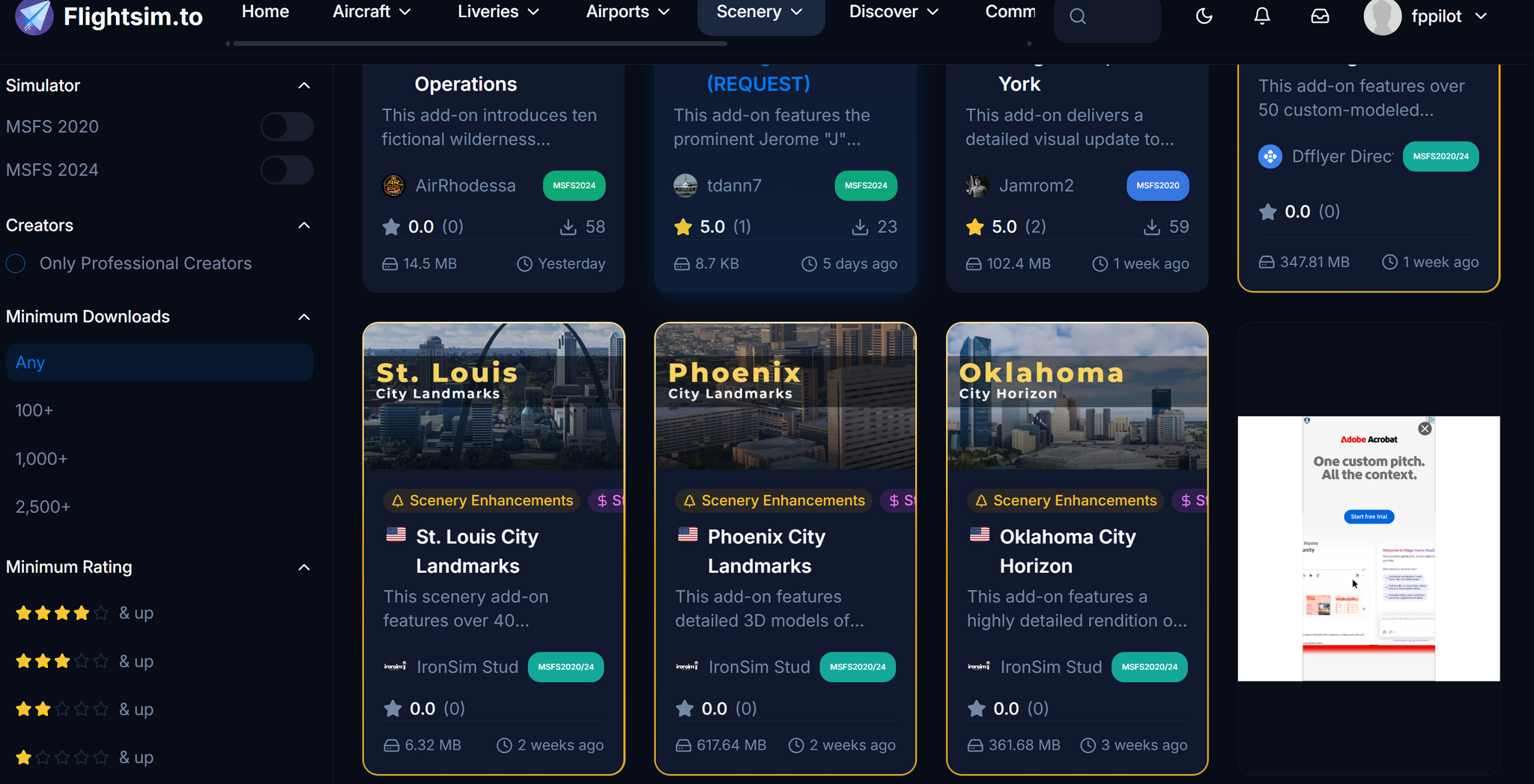
I'll chime in here. I use AdBlock Plus. On Flightsim TO I got tired of repeatedly answer the "no support" prompt. I reluctantly switched Adblock Plus off for the site and refreshed. That was over two weeks ago. With AB+ off I have not seen one popup add since. The ads I do see (image below) are few and are located within the matrix of addons available to download. In the world of obnoxious popups, I consider this unabusive. I do not pay TO subscription fees, so this as it is presently seems fair to allow them a source of revenue. I have literally hundreds of freeware addon airports, mostly GA airports that will not be rendered by payware developers. This to me is a small price to pay for all of those, plus other addons such as liveries, sim tools and mods, etc.
-
-
Agree, especially in regard to cloud textures and the lacking poputlation of cloud types. What should not go unmentioned here is the relationship of the weather to the sim's ATIS/ASOS. Personally am so tired of hearing: "wind 150/12" and then "runway 14 in use, landing and departing runway 32". Is there not anyone on the Asobo team with related knowledge, either piloting or weather service? Then, always dew points of "12" (F), especially in winter when the ambient temperature is lower than 12 (F) am located in the US. (from yours truely, a former USAF meteorologist)
-
My normal rate of descent is approx 600 FPM (feet per minute). Have to do the math to determine that in regard to FPS (feet per second). LOL! I just fly!
-
UP and running again this try. USA East Coast. 21:30Z now. Had not tried for a couple of hours previously.
-
Still down here on USA east coast (Maryland). Why the references to xbox? I am on a desktop.
-
In the meantime get your arms around the excellent "autoFPS" app that is so mentioned here on Avsim. The developer has the longest running topic in Avsim history and is present and very supportive. His app may provide some interim benefit for you. Sad to see that you are too budget restricted for a new system. The topic is in this MSFS forum and the most recent post by the developer was less than 5 hours ago.
-
I highly suspect an assignment within your Settings, Controls. Milviz has its own mindset relative to hardware assignments. Do you see and hear your RPM increase with application of throttle? Have you attempted to release the parking brake with your mouse? Attempt to and observe. Does it release and then immediatly lock down again? Also check external views to insure you do not haver chocks in place, etc.
-
That is a most excellent link! 👋
-
And me as well. Was not any attempt to single you or anyone else out.
-
It is markedly better and nowhere near as taxing on my system (my system specs are in my signature below). Looks incredible. Hey, I fly in, park, and shut down. I do not taxi around looking for flaws, and never try to use MSFS to enter the airport and look around. I have spent too many long hours in airports during my business career and the inside of an airport in a simulator is not on my plate. 🤥
-
The first is Addons Linker, and it is free so you still get three more.... The next is AutoFPS, which is also free. So you still get three more.... Navigraph subscription Active Sky Pick one scenery...
-
Does it have a feature to keep profiles in place from MSFS session to the next. With thr latest MSFS 2024 build (not using beta) my controls settings per aircraft are not staying in place. I have to go into Settings Controls and reselect the appropriate profiles, even when flying the same aircraft from session to session.
-
Please report back on your experience.
-
I did that later this afternoon, and I found a previous post and response here that helped. But your explanation above in response to me is much more clear to me. Thanks as always. Been a loyal user since day one! 😀




